Make key fields stand out in a Fields widget
On Canvas pages, you can now make the fields in a Fields widget larger and color their values, so the most important information on a dashboard is visible at a glance.
In Design Page mode, enter edit mode on a Fields widget. Under Fields Settings, you'll find two new settings:
- Field Size: Choose Normal, Large, or Extra Large. The labels, values, and icons in the widget all scale together.
- Value Text Color: Choose a color for the field values. Labels keep their default color. None returns to the default color.
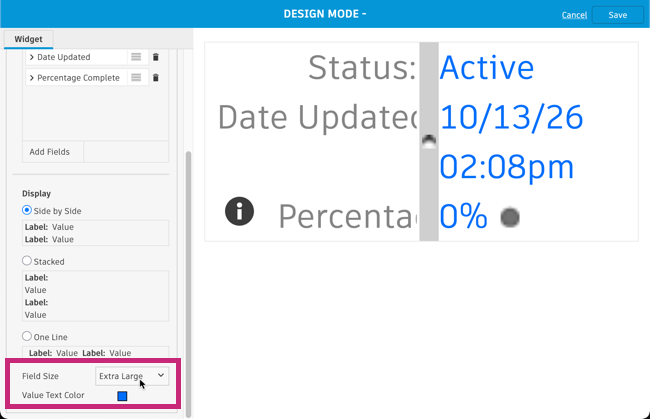
These settings apply to every field in the widget. They don't affect how fields appear elsewhere, such as formatting rules on grid pages.
Documentation
To learn more about Canvas page widgets, see Designing Canvas pages.
Release Information
Version:
8.89
Release Date:
October 2026