Filter linked values on a Graph widget
When you group a graph by a multi-entity field such as Tags, you can now exclude from the graph specific linked values with the new Linked Entity filters, without removing the main record. Linked entity filters are available when the graphed field links to one entity type only.
For example, suppose an Asset has two Tags: complexity 1 and large.
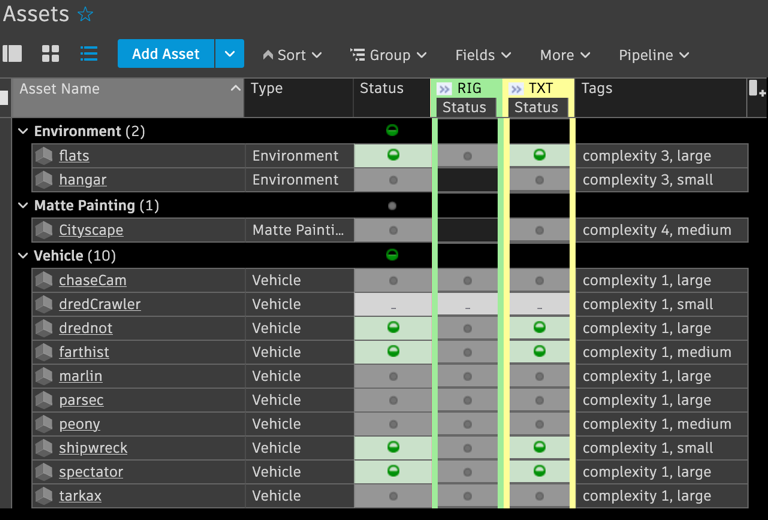 |
Assets use a variety of tags such as large, medium, complexity 1, complexity 2. |
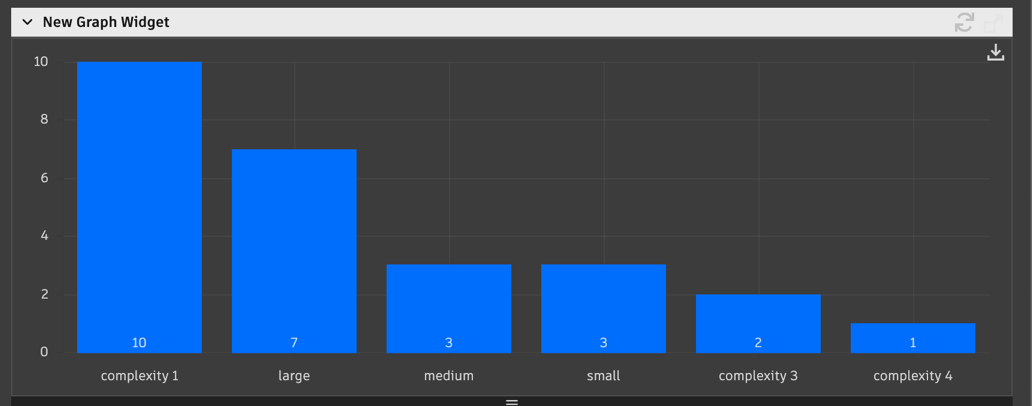 |
These tags can be viewed with the Graph widget. For example, complexity 1 sums up a mix of large, small, and medium tagged assets. |
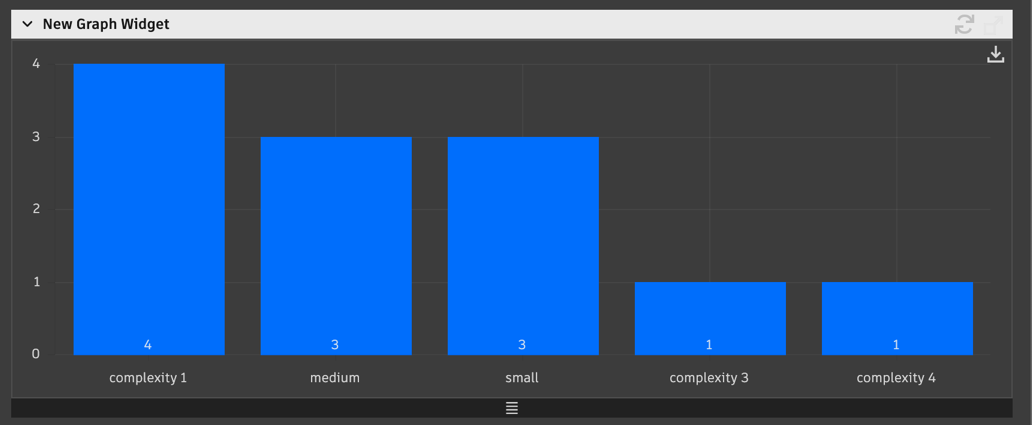 |
If you use a main filter such as Tags doesn't include Large, the Asset is removed from the graph entirely. This removes Assets that are both complexity 1 and large from the complexity 1 sum. |
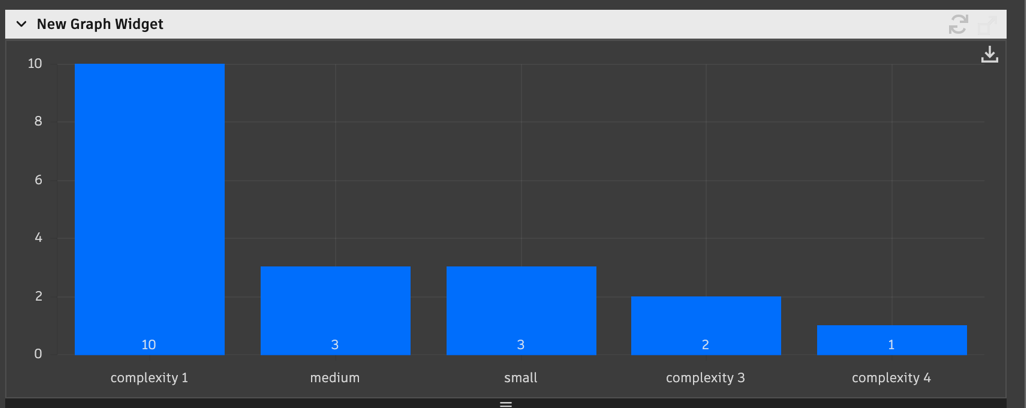 |
If you use a linked entity filter such as Tag Name does not contain Large, only the large tag is removed. The same Asset can still appear in the graph under complexity 1. |
This is different from a main filter. A main filter on Tags removes the entire record from the graph. A linked entity filter on Tag removes only the matching value, so the same record can still appear in the graph under its other tags.
Documentation
To learn more about Graph widget settings, see Graph widget.
Release Information
Version:
8.88
Release Date:
August 2026