Create Review Notes publish form layout
Administrators with Access admin functionality can now configure the Review Notes publish form per project or as a global default for the site.
To configure the publish form layout:
- In the Review Notes app, finish taking Notes and click Preview and Publish.
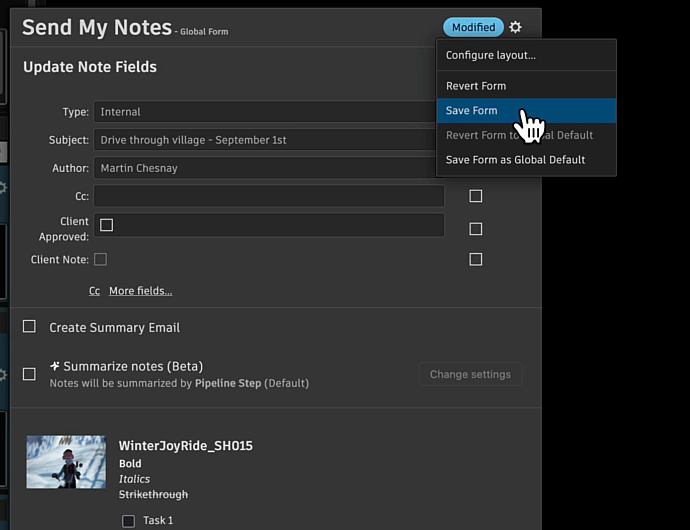
- In the Send Notes dialog, open the gear menu and select Configure layout....
- In the Field Properties dialog, select the fields you want in the layout. You can order the fields, choose to hide their label, or change the displayed label. Click Apply.
- Open the gear menu again and select Save Form for the current project, or Save Form as Global Default for the site-wide default.
To discard those changes and return to the last saved layout, open the gear menu and select Revert Form.
Documentation
To learn more, see Configure Entity Creation Forms and Review Notes App.
Release Information
Version:
8.89
Release Date:
September 2026