Accessing layers
Jump to Mobile or Windows 10
Access layers through the Layer Editor. The Layer Editor also houses the Layer menu, containing various layer tools. No matter which version of SketchBook you're using, when you select a layer, it is highlighted in blue to indicate this is the current active layer.
Accessing layers in SketchBook Pro Desktop
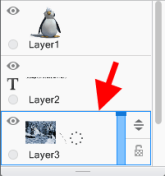
- From the menubar, select Window > Layer Editor.
- From the toolbar, tap
 .
.
Accessing layers in SketchBook Pro Mobile

- If you're on a tablet, the Layer Editor is visible by default, along the right of your screen.
- If you're using a handheld device, such as a phone, tap
 to open the Layer Editor.
If you want to work without it displayed, tap  to hide the UI. Tap it again to display the UI.
Accessing layers when the UI is hidden
When working with the UI hidden, you can quickly access the Layer Editor using the trigger.
With one hand, tap  and drag down to select and hold Layer from the menu that appears. This will open the Layer Editor, which appears along the right of your screen.
While you continue with Layer selected, use your other hand to make changes in the Layer Editor. When you release the Layer menu option with your other hand, the UI will disappear again.
Accessing layers in SketchBook Pro Windows 10
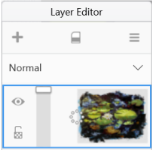
If the Layer Editor isn’t displayed, in the toolbar along the top, tap  and select Layer Editor.