To Create a TruFiber Process
A process is an Inventor assembly file that describes the manufacturing process for the part you want to manufacture. To create one, you need to insert a part file that you prepared in TruPlan.
- In Inventor, create an assembly file and save it.
- Go the TruFiber tab.
-
Click Process on the TruFiber ribbon.
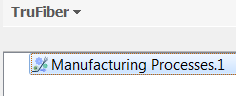
The TruFiber browser opens with a Manufacturing Processes node inside it.
-
Select the Manufacturing Processes node and click Composite Part on the TruFiber ribbon.
-
Browse to the .ipt file you prepared in TruPlan and add it to your assembly.
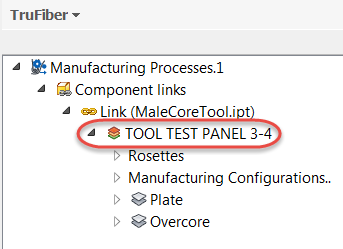
The part file is added under Component Links in the TruFiber browser.
-
In the TruFiber browser, select the Manufacturing Processes node and click Process on the TruFiber ribbon.
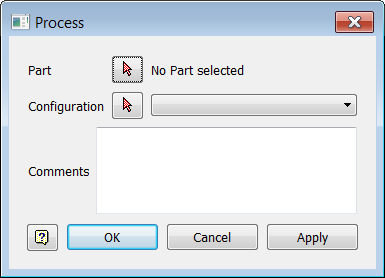
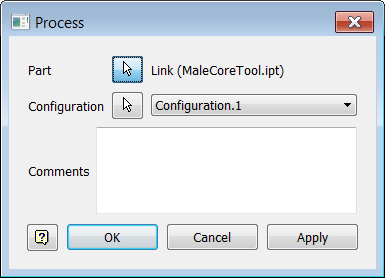
The Process dialog box opens.
-
Click the selection arrow
 and select the part file link in the TruFiber browser.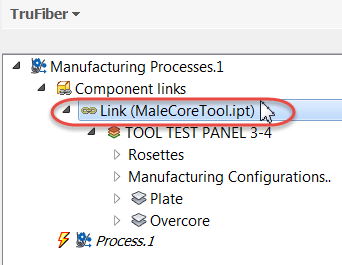
The Process dialog box shows which part has been selected, along with the default manufacturing configuration that was created in TruPlan.
 Note: A configuration defines a manufacturing strategy for each ply in the part file. This is set up in TruPlan.
 -
Optional: Select a different configuration from the Configuration box.
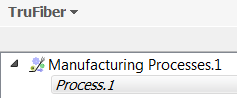
You should now see a new process under Manufacturing Processes in the TruFiber browser.
You can also add axis systems to a process document if you want to. Later when you add a machine and create your setup, you can use these axis systems or those of the machine.