Access Autodesk Tandem Free
Creating a new Tandem Free account
You can try Autodesk Tandem free by signing up on the Autodesk Tandem Webpage and going through the process below:
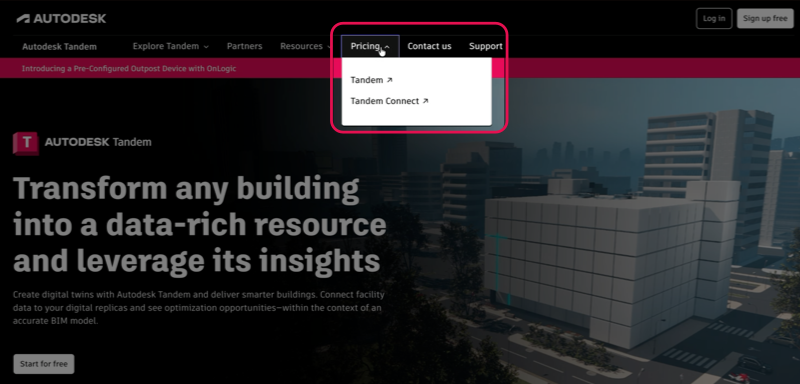
- Navigate to the Tandem product page and go to Pricing > Tandem.
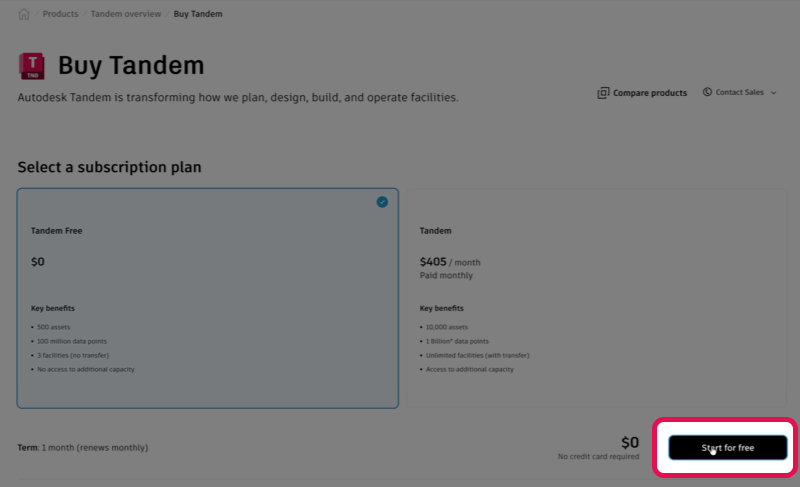
Note: Monthly is the only option available.
- Hit the Start for free button
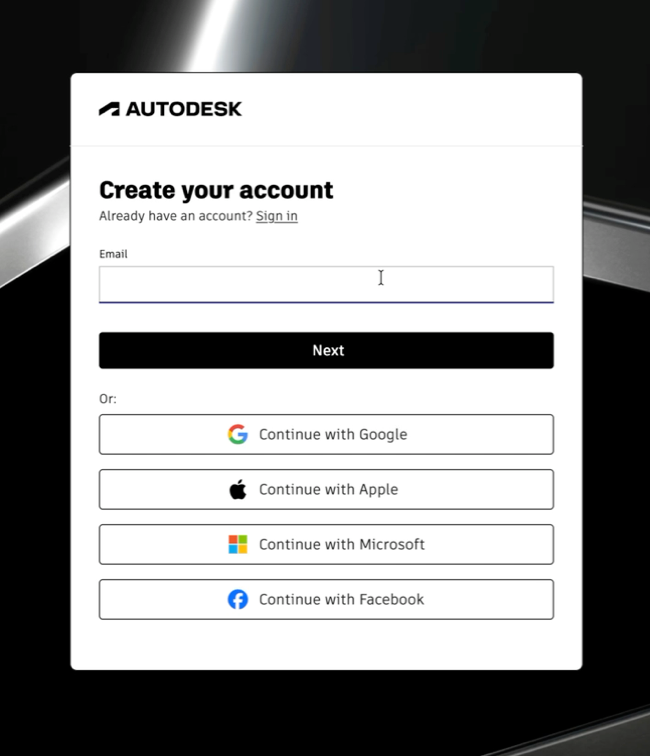
- You will be prompted to Create an account (Autodesk ID).
IMPORTANT: If you already have an Autodesk ID click Sign in
- You should be brought into your Autodesk Account where you should see your new Tandem Free Subscription. Click the Create or access hub button to create your free account.
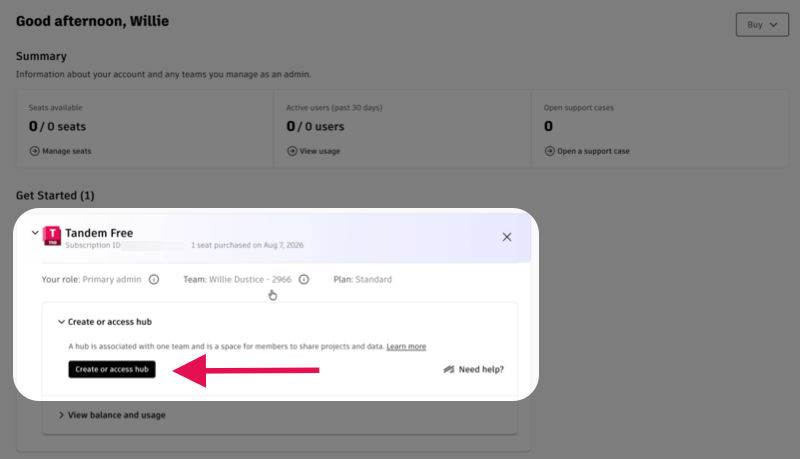
- You'll be automatically borught into your new Tandem Free account.
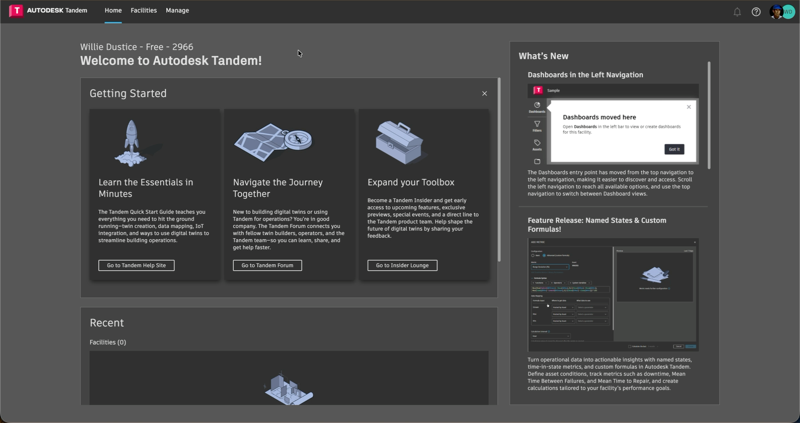
For more information about the Autodesk Tandem offerings and feature comparison, visit the Autodesk Tandem Pricing Page.
Features
| Feature | Description |
|---|---|
| Number of Tagged Assets | Up to 500 Tagged Asset for free accounts. These are the assets that are classified and indicated as being an asset. |
| Limited Facilites | Create and manage up to three(3) facilities in your portfolio. |
| Limited Data Sources | Incorporate up to 10 models per facility to create your digital twins, with a file size limit of 500MB per model upload. |
| Data Points | Up to 100M data points across all facilities. |
| Data Point Retention | Up to 100 million data points stored up to 5 years. |
| Revit Model Support | Add all the geometry data, type, and instance parameter data in Revit to help define your facility. |
| IFC Model Support | Add your IFC models with geometry and parameter data into Tandem to help define your facility. |
| Autodesk Docs Integration | Integration with Autodesk Docs enables you to link to models and documents stored in your Common Data Environment.) |
| View Management | Create and bookmark Views of your Digital Twin for sharing and collaboration. Views can be created with specific filters based on design or asset parameters, colors, and inventory tables. |
| Inventory Management | Filter, view, and edit your asset data in a data table that is easy-to-use and familiar. Easily export the data to MS Excel for advanced editing and import the updated data back into the Digital Twin. |
| History | Track every change made to the Digital Twin, regardless of whether the change comes from a Revit/IFC model update, edits made in another application like Microsoft Excel, or directly in the Autodesk Tandem application. |
| Import/Export to Excel | *Export an inventory view to Microsoft Excel, share it with colleagues to capture information, and import their updates. |
| Asset Model - Asset Breakdown Structure | Use industry standard classification systems to specify your asset breakdown structure or define your own classification scheme for the asset model with unlimited assets. The Asset Model supports parent-child relationships, where the child assets inherit parameters from the parent assets. |
| Parameters | Parameter are the data building blocks of your Digital Twin. These are the attributes or properties of your assets. Choose from our library of predefined parameters or define unlimited parameters based on your own needs or industry standards. |
| Facility Templates | Facility Templates bind an asset breakdown structure (asset model) to the parameter that describe the assets. Here you can assign one or more parameters to the assets and save them as Facility templates. Choose from our library or define your own facility templates to manage the facilities in your portfolio. |