Add Curve Properties
Curves make up contours and are, themselves, defined by a series of points. To add a curve to a contour, right click on the contour name in the tree and select Add Curve.
To define the curve values, right-click on the curve name and select Edit Properties.
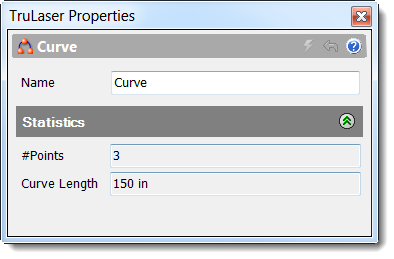
Enter your settings and click Apply. Refer to the table below for property details.
| Name | A unique name that helps you easily identify this curve. |
| #Points | The total number of individual points in the selected curve. |
| Curve Length | The total distance that the laser projector travels while displaying all the data in the selected curve. |
Access Curve Context Menu Options
Right-click a contour name to view a menu of options. In addition to the standard menu options (see Navigating the TruLaser Browser in Finding Your Way Around for descriptions), the following options are available for curves:
- Reverse Points: Change the order of the point in the curve. The start and end points are swapped and the remaining points reordered to completely reverse the direction the laser projector must travel to display the curve.
- Add Point: Add a point to a curve to give the curve line more definition.
- Invert Selection: Select everything that is not currently selected in the laser data tree and deselect everything currently selected. The new selections are now highlighted in the canvas.