Fixed issues and new features in Upchain 24.3
Fixed issues and new features in the 24.3 release of Upchain are summarized here by date.
Upgrade the CAD plugin
You may download the latest CAD plugin version 24.3.0.0032 from the Plugins page immediately following the maintenance window. Upchain web 24.3.0.1413 requires the latest version of the CAD plugin (24.3).
July 18, 2024
Interface
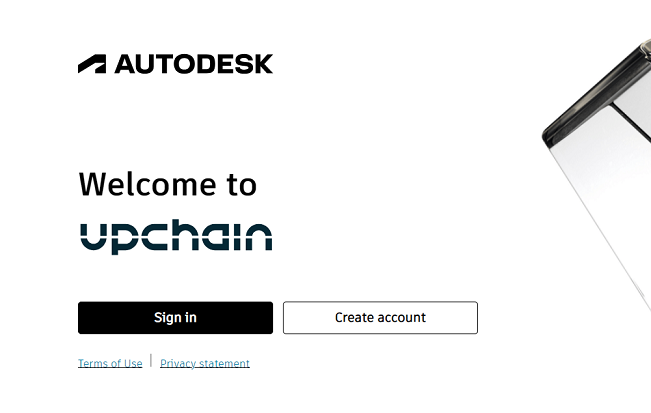
Aligned the Upchain sign in process with Autodesk's security policy. You must now sign in using Autodesk SSO as we have removed the ability to sign in with your Upchain username and password.
July 8, 2024
Plugins
- We have simplified the sign in process by removing the Sign-in with Upchain ID option from all plugins. You must now use Sign-in with Autodesk ID to sign in with your Autodesk account.
July 1, 2024
- Introduced the new and improved Upchain Resource Center. Access the Resource Center from the Help icon
 in the main header of the web application. The Resource Center provides on-demand access to Upchain Help, Upchain Academy, Autodesk Forums, Guided Tours, and more!
June 26, 2024
Plugins
INVENTOR
- Introduced support for Inventor iParts. The Upchain CAD plugin for Inventor enables you to register and manage iPart factory and member files. Upchain treats the iPart factory file as the child of its member files. iPart factory and member files are organized in the home folder in the same way as Inventor's iPart file management. Click to learn more.
June 18, 2024
Plugins
- It is now mandatory to upgrade your CAD, Office, and Outlook plugins to their latest version (24.3).
June 10, 2024
Interface
Added padding around the ellipsis (⋮) icon in the BOM table and the Document section of the item details pane.
Picklists for Shape and Material are now sorted alphanumerically regardless of whether the value starts with a lower or upper case letter.
In the item details pane, Shape, Material, Finish, Heat Treat, and any other custom attributes defined through a picklist now contain an empty value as the first value in the drop-down list. When an empty value is selected, all dependent attributes have their values cleared.
Removed the mandatory project key/unique identifier field from the project creation window. You may now create projects without filling out this field. The project key will remain for the projects that already have it but is hidden in the web and desktop applications.
Introduced new icons throughout the application when switching to the new theme.
Added validation to change notices (CN) to check whether the date in the "Date required" column is inside a valid range.
It is now possible to delete a translation. The following rules apply:
- Only a Tenant Administrator can delete a translation file.
- Files can be deleted only on items in Development.
- If there are multiple versions, you are asked if you want to delete the latest version only, or all versions.
It is now possible to view and add comments to workflow actions in the history tab of investigation requests (IR).
Fixed an issue where tooltips were not showing correctly when hovering your cursor over any column after using the "Group by" option on the BOM table.
Fixed an issue where file deletion would fail due to the file name containing special characters (such as #, &, ', <, >).
Plugins
CAD
- Fixed an issue where you would remain logged in after clicking Sign Out when using the new Oxygen authentication.
- Fixed an issue where the drawing file would be re-downloaded during the Copy > Clone function, even if it was checked out.
SOLIDWORKS
- Fixed an issue where derived parts would be checked out but stay read-only in a SOLIDWORKS session.
INVENTOR
- Fixed an issue where Content Center (CC) files would become unresolved after the assembly containing CC parts was registered or checked in.
API
- Introduced changes to the API endpoint
/api/bom/v1/file-versionsto allow adding a DWG file as a CAD model. To set DWG file as a model, thefileCategoryparameter should be set toMODEL.
General
- Added validation when you attempt to upload an empty file to the Documents section of an item's details pane. You are now warned with the message "Empty files cannot be uploaded".
- Enhanced the message indicating that some items in a change request (CR) are locked with a lock type other than the eBOM structural lock that is placed on items by the CR. Up to 15 locks are listed and indicate the lock type.
- Fixed an issue where the "Creator" field was not being populated in CN reports.
- Fixed an issue where deleting all versions of a drawing would delete the wrong translations.
- Fixed an issue where deleting a drawing would fail because Upchain tried to delete the incorrect translation of the same drawing.
- Fixed an issue where deleting an item would fail if the BOM contained more then 2100 file versions (model, drawing, and translation versions).
- Security updates.
Administration
- Modified the tenant property description of the tenant property
item.name.in.translation.nameto: When enabled, translations use this naming convention: ItemNumber-MajorRevision-MinorRevision.ItemVersion-ItemName-FileName. When disabled, translations use this naming convention: ItemNumber-MajorRevision-MinorRevision.ItemVersion-FileName.