Attach translations to items: New manual process
You can attach any file type as a translation to items. This allows for more flexibility with the data you bring into Upchain.
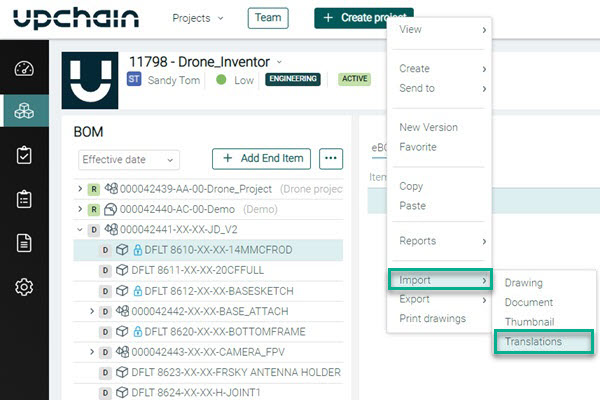
The new Import > Translations feature is available as a right-click menu option for an item selected from BOM > eBOM table.
Once translations are attached an active translations icon  is displayed in the eBOM table.
Translations can be accessed from:
- Upchain > BOM > eBOM > item details pane > Documents > Specification documents > Translations folder.
- CAD Plugin > BOM Views > Project BOM view > selected item > Doc tab > Translations.
Learn how to manually attach translations.