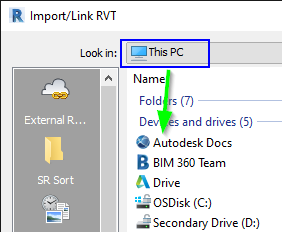
Issue:
How to troubleshoot issues when linking cloud models in Revit.Solution:
Use the interactive guide for further troubleshooting
Troubleshooting BIM 360 and Autodesk Construction Cloud model access from Revit
Manual Troubleshooting
Permissions
In order to link a cloud based model into Revit the account signed into Revit must have View + Download or higher permissions.
External Resource
This is the default location when linking a Revit model, and this option can only be used for Revit models, and only with models which were uploaded to the cloud through Revit.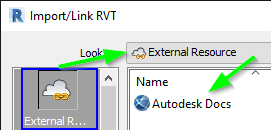
| Issue | Article |
|---|---|
| Model was not uploaded to cloud through Revit | Unable to view BIM 360 models in Revit when clicking "External Resource" to insert a link |
| Space before or after folder name | No Revit files show in the 'External Links' section and cloud files are unable to be linked in Revit |
| Slash in folder name | When trying to link to a cloud model (BIM 360 / Autodesk Docs) the folder loops back to project directory in Revit |
| Shared/Consumed Model copied on BIM 360 | When trying to link Revit files, models are not visible in Consumed / Shared folder in External Reference |
| Cloud model copied on BIM 360 | |
| Force Relinquish used for elements in link | Cloud model will not link into Revit project |
Desktop Connector
The Desktop Connector allows linking more file types. While Revit files can be linked through the Desktop Connector it is recommended to use External References when possible.