
Hub Settings
Hub settings include the hub name and the hub ID. The hub name is used throughout the products and appears in email notifications to your employees and external partners. The hub name is assigned when you purchase subscriptions for your organization's hub, but you can edit it. The hub ID is used when you need to contact customer support.
You can also limit project administrator capabilities through the settings.
Edit Hub Settings
- Click Settings from the left navigation to open the hub settings.
- Click Edit.
- Enter a new hub name.
- Click Save.
Advanced Settings
Hub administrators can control some capabilities of project administrators. You can toggle the following abilities on and off:
- Add companies
- Create projects
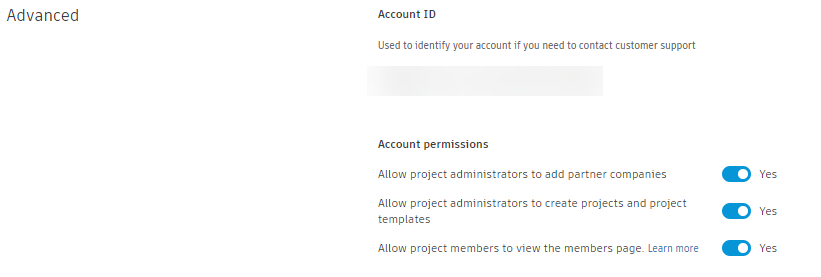
Hub administrators can also reduce visibility to sensitive information by hiding the Members tool from project members. Project administrators can still see the members tool. The members list still appears in workflows that require a member to be assigned.
Subscriptions Settings
Hub administrators can set up the hub to automatically assign subscriptions and access when a project is created.