Issue:
When moving the viewport in the layout, AutoCAD freezes or crashes. This may occur when moving using the viewport grip or when using the MOVE command, or both.Environment:
Windows 10
Causes:
- Missing application updates.
- Out of date graphics driver.
- A recommended graphics card is not configured for AutoCAD.
- Corrupt layout.
Solution:
Do the following:
- Install the latest updates (see Download Product Updates).
- Disable hardware acceleration (see, How to enable or disable hardware acceleration in AutoCAD).
- Verify the graphics card meets recommended system requirements for the version of AutoCAD in use (see, System requirements for AutoCAD and System requirements for AutoCAD L).
- Set the discrete graphics card to work with AutoCAD (see, AutoCAD uses the wrong graphics card).
- Create a new layout and create a new viewport for this new layout.
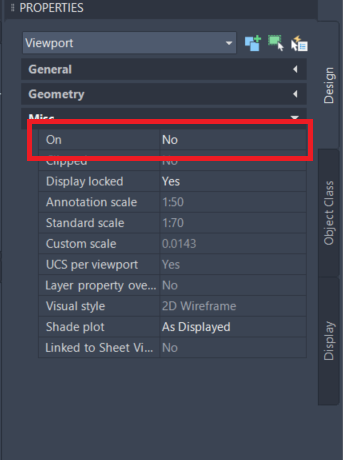
- As an alternative, set the viewport to OFF in the PROPERTIES palette before moving it.