
Issue:
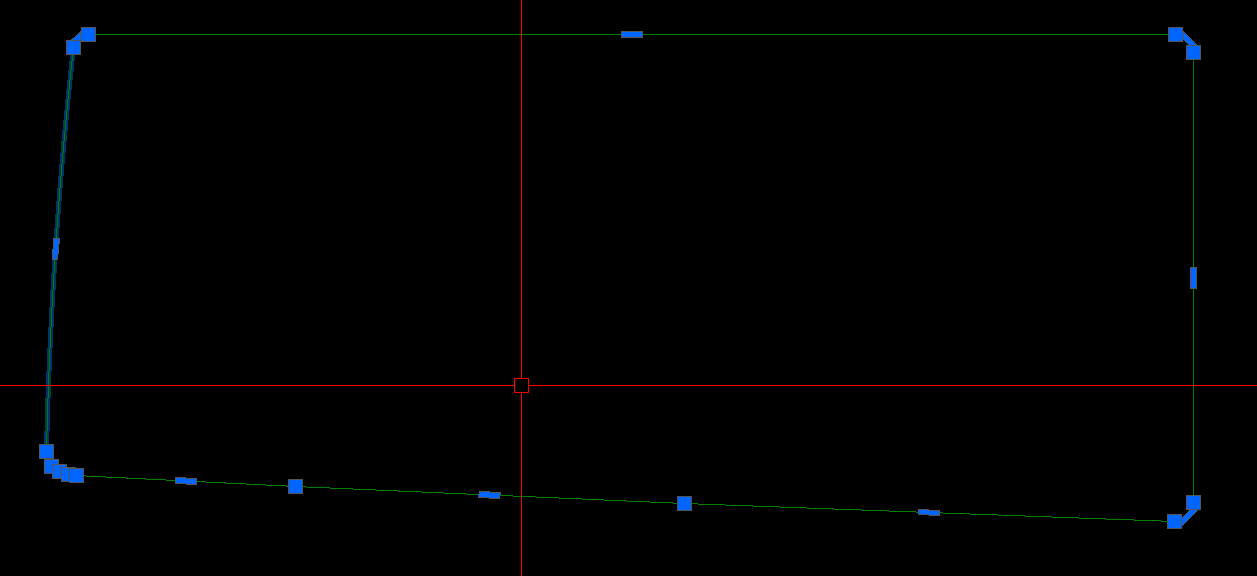
The highlighting effect on selected objects does not honor SELECTIONEFFECT system variable setting in AutoCAD. For example, a selected line may always show as dashed, solid, or do not highlight at all, despite the variable value. Or, only circles or arcs will show the highlight but not for polylines or lines.
Causes:
- Selection display overrides.
- System requirements not met.
- Corrupt AutoCAD user settings.
- Damaged install.
- Graphics card is not configured which makes off hardware accelerator.
Solution:
Do the following:
- If using AutoCAD 2022/23/2024 versions, try setting GFXDX12 system variable to 0.
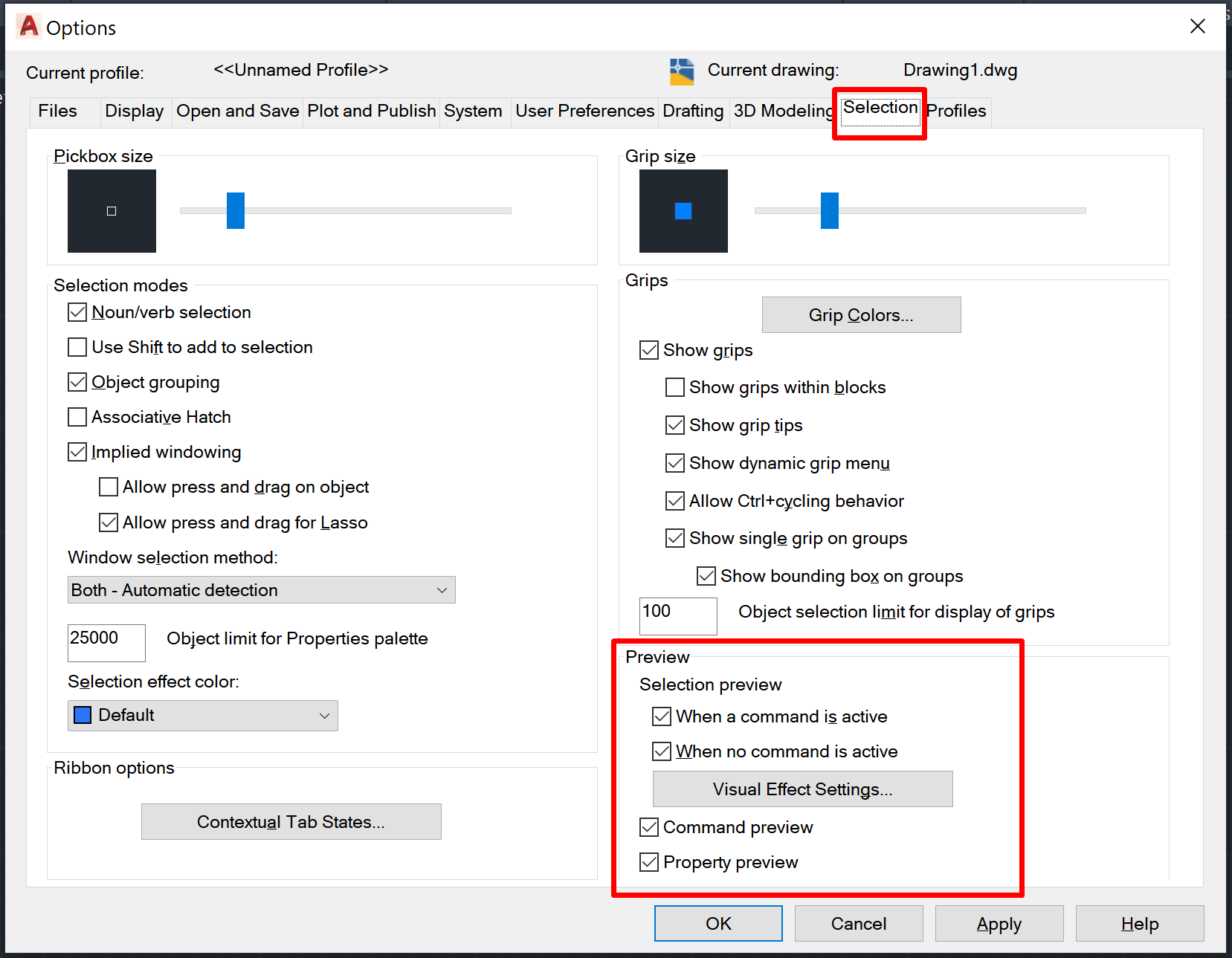
- Adjust the Preview visibility settings in OPTIONS under the Selection tab.
- Verify that system requirements are met. See System requirements for AutoCAD and Toolsets.
- Turn Hardware Accelerator is On/Off. See How to enable or disable hardware acceleration in AutoCAD.
- Reset AutoCAD to factory defaults. See How to reset AutoCAD to defaults.
- Update the graphics card driver. See How to update to the latest certified video driver for Autodesk software.
- Set to high performance for the graphics card. See How to configure Autodesk software to use high-performance graphics.
- Uninstall then Reinstall AutoCAD. See Recommended uninstall and reinstall procedures for AutoCAD.