
Forma Site Design
Forma Site Design is a cloud-based platform for professionals in the architecture, engineering, and construction (AEC) industry to create, visualize, and optimize building designs. It enhances collaboration, streamlines workflows, and improves decision-making throughout the project lifecycle. In the Autodesk Forma platform, you can seamlessly switch between data management and construction tools, and Forma Site Design for pre-design and schematic design, ensuring fluidity across workflows. Centralized user management provides consistent permissions.
With Forma Board, architects, engineers, general contractors, owners and other stakeholders can add files from Forma Data Management and visualize your design process across the AECO lifecycle.
What's Possible with Forma Site Design
Forma Site Design includes:
- Conceptual design capabilities: Create and visualize conceptual designs of buildings and urban environments with tools for sketching, modeling, and experimenting with design ideas. Conduct initial massing studies to assess compliance with requirements and inform your design process.
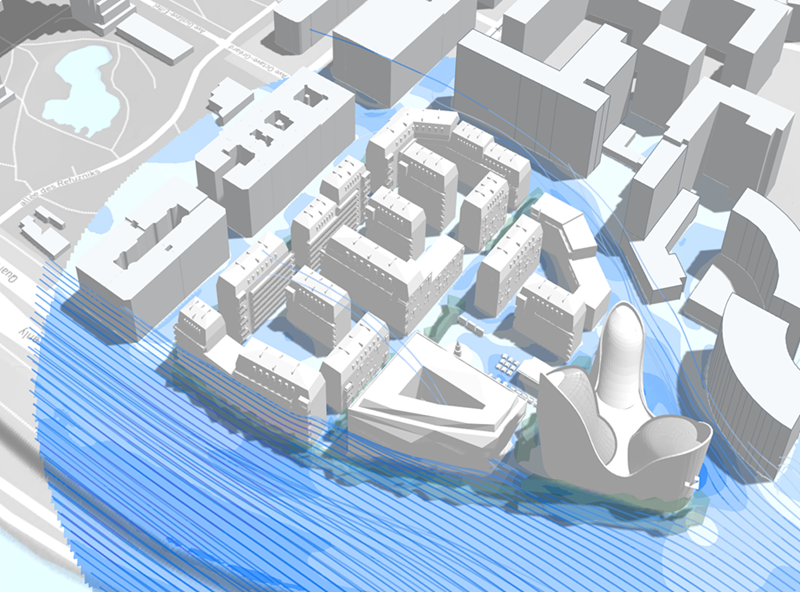
- Data-driven decision making: Set up geolocated projects with real-world contextual data and use real-time environmental impact analysis, including wind, solar, daylight, and embodied carbon, to explore concepts and optimize for living quality and sustainability. Use Forma to increase transparency and confidence in decisions made during the planning phase while reducing costly rework as you move through the project lifecycle.
- Streamlined collaboration: Use Forma Data Management to import files, including Revit sheets, and visualize designs and models in Forma Board. Collaborate with team members and stakeholders in real-time, sharing models and feedback seamlessly, ensuring everyone has the latest information.
- Intregrations into schematic design workflows: Continue a detailed design process by fluidly connecting with Revit, Rhino, and Dynamo.
Key Features
| Feature | Description |
|---|---|
| 3D Real World Project Visualization | Set up geolocated projects with real-world contextual data for accurate visualizations. |
| 3D Modeling | Create and visualize conceptual designs using tools for building modeling, site automation, vegetation, and transportation. |
| Real-Time Collaboration | Collaborate live on projects with cloud-based project data. |
| Environmental Impact Analyses | Assess risks and opportunities with powerful analyses, including carbon, sun hours, wind, daylight potential, microclimate, energy, noise, and area metrics. |
| Integrations and Extensions | Connect Forma with other tools through extensions and integrations with Revit, Rhino, and Dynamo. |
| Board | Share ideas and communicate the process with stakeholders on a digital whiteboard. |
| File Import from Forma Data Management | Import files, including Revit sheets, from Forma Data Management and visualize designs and models. |
| Import | Bring existing models and other data into Forma or export your proposals. |
| Compare | View analyses and concepts side by side to compare the qualities and outcomes of your designs. |
Get Started with Forma Site Design
Reach out to your administrator to invite you to a Autodesk Forma project and to enable your access to Design.
Once you have access, you can navigate to Design in Autodesk Forma and you will land on the Project Overview page where you can start creating and collaborating on geolocated sites.
Helpful Resources
You can access the Forma Site Design help center either by logging in with your Autodesk account, or by clicking Help in the bottom right corner of the screen when logged in to Autodesk Forma.
If you need any assistance along the way, contact our support team by using the "Help" button within the product.