Content Center Enhancements (What's New in 2027)
Several enhancements are made to Content Center in this release of Inventor.
Publish Assemblies to Content Center
Use Content Center publishing to add assemblies to Content Center user libraries. Some categories require component authoring before you publish.
You can publish assemblies to Content Center, edit published assembly families, and insert assemblies from Content Center into your designs. A new Publish Assembly  command is available on the Ribbon > Manage tab > Content Center panel in the Assembly and the Weldment environments.
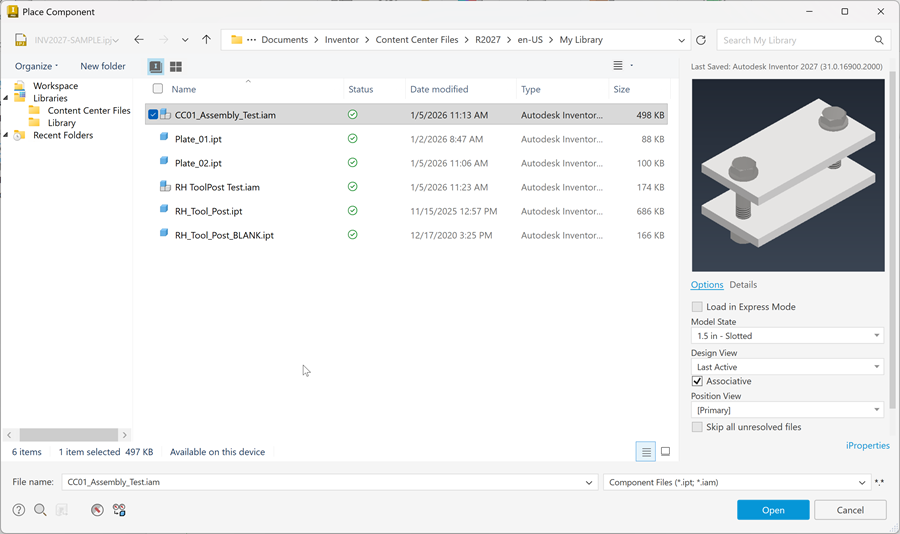
Use the Publish Guide to publish assemblies to a Content Center user library.
Tips for publishing to library:
- Use Batch Publish after creating multiple publish definitions and publish all at once.
- Content Center does not support assemblies that contain tables whose cell values reference parameters within the assembly document, and which are not represented as columns. You can only have cells with formulas that contain other table columns as operands.
When editing published assemblies, you can modify Family Properties, and a Family Table. Model states can be mapped to a family that isn't a multi-template one.
For more information, see To Publish a Part, an iPart or an Assembly to a Content Center Library.
Insert assemblies from Content Center
The saved assembly file can be inserted As Standard, or As Custom. When the assembly contains a custom component (a component not from Content Center), the Family File dialog displays with two options and by selecting the Rename document you can change the file names and file locations of the custom components.
You can only insert documents with unique file names and duplicates are detected during insertion. When you select Reuse existing documents in the Duplicate Filename dialog, the relative path to files is changed to the absolute path. When inserting as a custom part, you can re-use documents in the Content Center library. Such documents are highlighted in blue in the Family File Naming dialog.
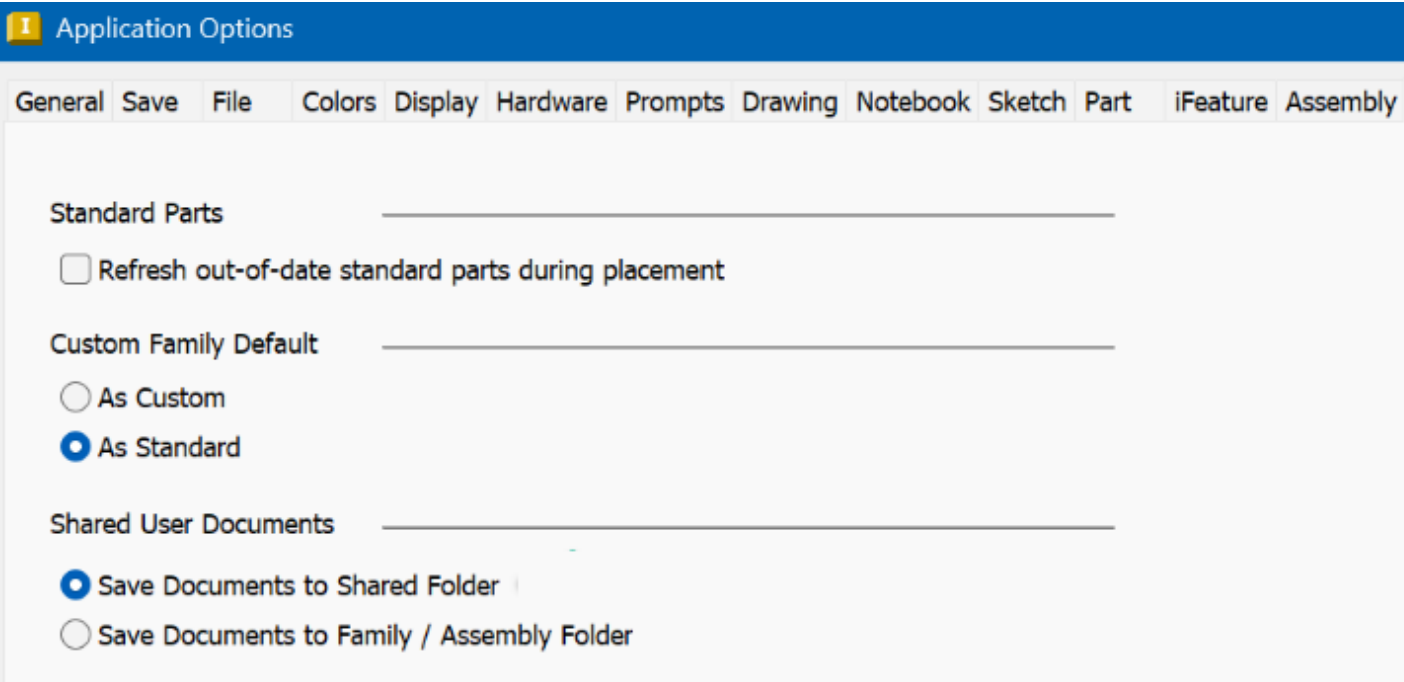
Two new options to specify how to save shared documents are added to the Content Center tab in the Application Options:
- Save Documents to Shared Folder (current default setting)
- Save Documents to Family / Assembly Folder (new shared location option)
Components saved to the shared folder can be used by multiple users.
Publish of iAssemblies on the top assembly level is no longer possible.
Change Size
When multiple Content Center parts are selected, you can use the Change Size from the context menu. However this option is disabled for Content Center parts from different families. When Content Center and non-Content Center parts are selected, this option is not available at all.
Replace templates for assembly families
You can now replace templates for assembly families in the Content Center Editor. Change the template for an entire family or for individual members, depending on whether the family uses a single template or multiple templates.
Use Ukrainian localization in Content Center
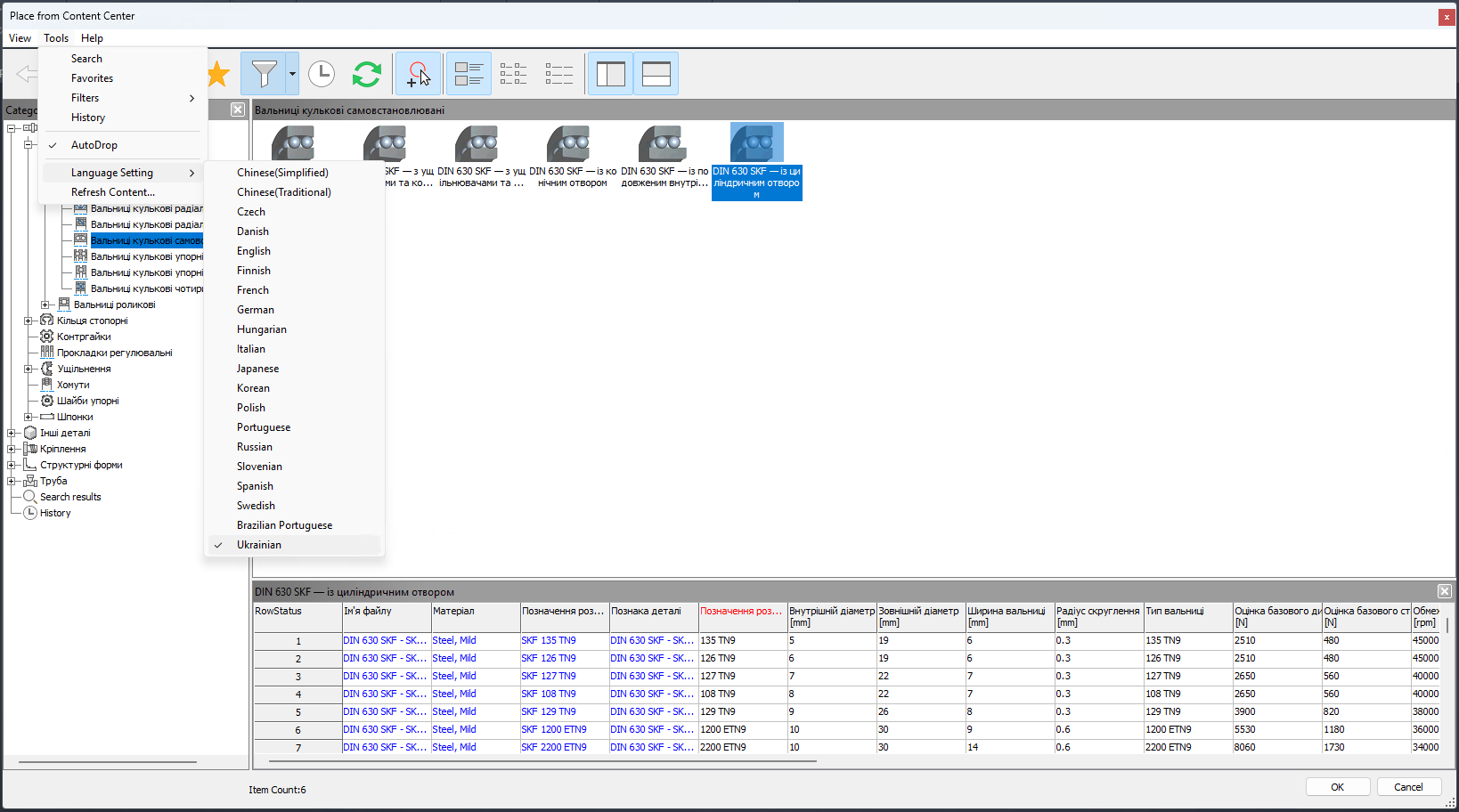
You can now display Content Center content in Ukrainian. To change the language setting to Ukrainian, open Content Center using one of the following ways:
- Click Place from Content Center
- Open the Content Center Editor
In the Tools menu, change the Language Setting to Ukrainian.
The following Content Center libraries include Ukrainian translations for all families:
- GOST
- ISO
- DIN