
Issue:
When launching Revit or Revit LT a window appears:.
Licensing System Error 1
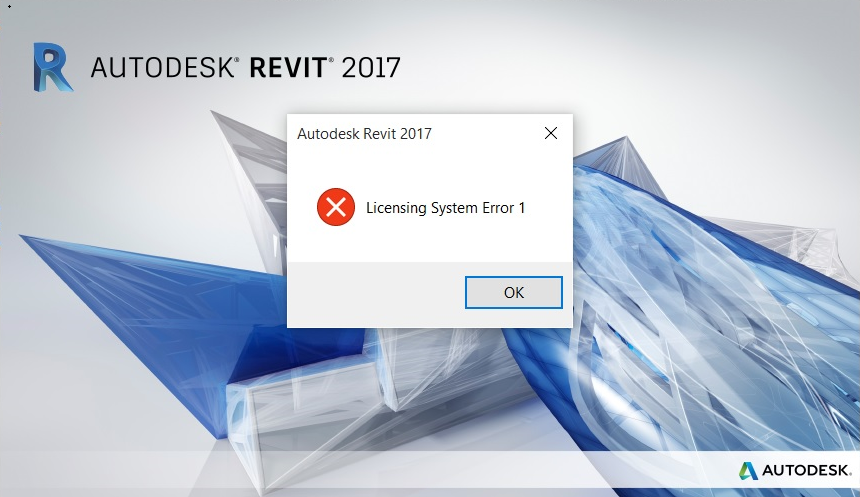
Causes:
The LGS.data file is missing from the CLM folder.
Trusted Storage files are corrupted.
LMU.exe fails to start.
Missing read/write permission to the folder C:\ProgramData\Autodesk\ or Product information.pit file corruption.
Solution:
To solve the issue:
Try right-clicking the desktop Revit icon and running the software as administrator.
If Revit still does not open try solutions #1 through #3.
If it does open successfully permissions could be an issue - proceed to Solution #4.
Note. For the 2018 version install Autodesk License Service (x64) - 5.1.5 Hotfix installation.
Solution #1
Create the folder structure in your CLM folder as per the following.
Put the attached LGS.data file under the folder 829x1_201x.0.0.F in C:\ProgramData\Autodesk\CLM\LGS\.
Solution #2
Remove the adskflex_xxx_tsf.data from folder: C:\ProgramData\FLEXnet.
Start Revit and go through the reactivation process.
Solution #3
C:\Program Files\Common Files\Autodesk Shared\AdLM\R1x\LMU.exe.
Solution #4
C:\ProgramData\Autodesk.
Go to the below path and locate the ProductInformation.pit file (in C:\ProgramData\Autodesk\Adlm\).
Attempt to rename the ProductInformation.pit file (ProductInformation_bak.pit) and if you receive any notification that you need admin rights then permissions are still an issue.
If Revit is the only product that you have installed (including its components) you may be able to fix the issue by reinstalling Revit:
Uninstall Revit from Control Panel or Autodesk Uninstall tool.
Move C:\ProgramData\Autodesk\Adlm\ProductInformation.pit file to another folder (you would need this file for other Autodesk software to work on your system, which was installed before you installed Revit).
Install Revit.
Follow the instructions at the following link to manually remove all Autodesk products: Perform a Clean Uninstall.
Solution #5
Sometimes this issue was also resolved:
By repairing Microsoft Visual C++ Runtime 2012, 2013, and 2115.
By reinstalling Microsoft Visual C++ Runtime.
Solution #6
Attempt a clean uninstall of Revit.
Restart the computer.
Start the installation of Revit.