
Issue:
Several hatch patterns are missing when exporting sheets from a Revit project to DWG file.
Solution:
Use one or more of the following options:
Update Revit to the latest version
Multiple improvements to DWG export process were implemented with 2025 and 2026 versions.
If acceptable, upgrade the project to the latest Revit version and update (even for DWG export purposes only).
Check the DWG Export options for patterns
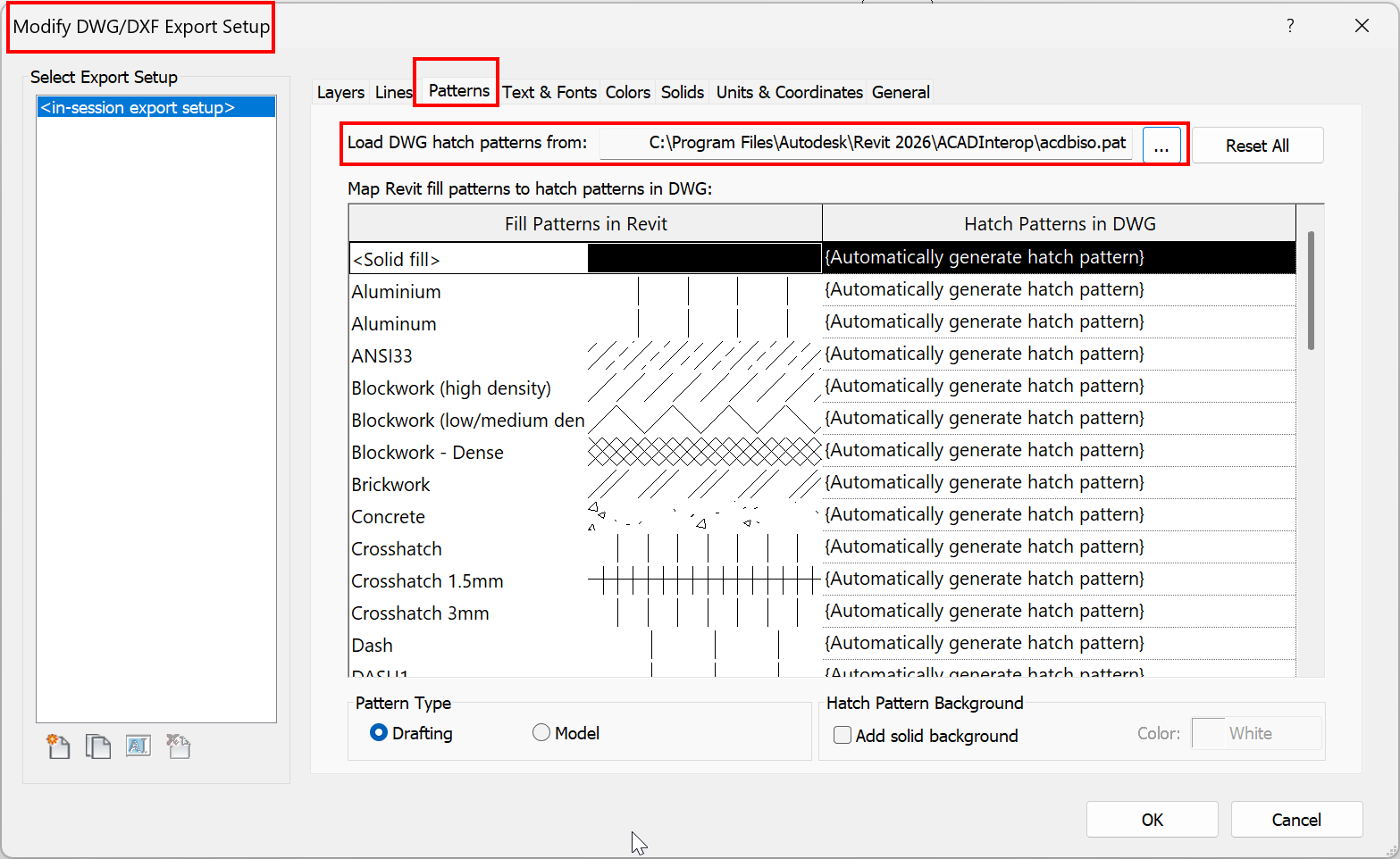
Verify that the DWG export option for patterns points to a valid/correct file:
- Go to File > Export > Options > Export Setups DWG/DXF.
- Open the page Patterns.
- Check the path & file for patterns to be valid and pointing to the correct PAT file.
For example, for a Metric project in Revit 2026, it should point to: C:\Program Files\Autodesk\Revit 2026\ACADInterop\acdbiso.pat
Manually add the missing hatches in the exported DWG
After exporting the DWG file, manually add the missing hatches in AutoCAD.