
Issue:
Some Levels are not exported to IFC from Revit. External IFC contains different number of layers comparing with Revit own IFC.Causes:
- Level not set as Building Story.
- None model element assigned to Level (Revit 2022 or older).
Solution:
To export Levels to IFC:
- Check/mark Building Story for Levels.

- Make sure that at least one model element is assigned to Level (Revit 2022 or older).
Note 1: Consider inserting a 3D Text object in Revit at each level as a layer description. The layers are then transferred to the IFC and this increases the readability of the model.
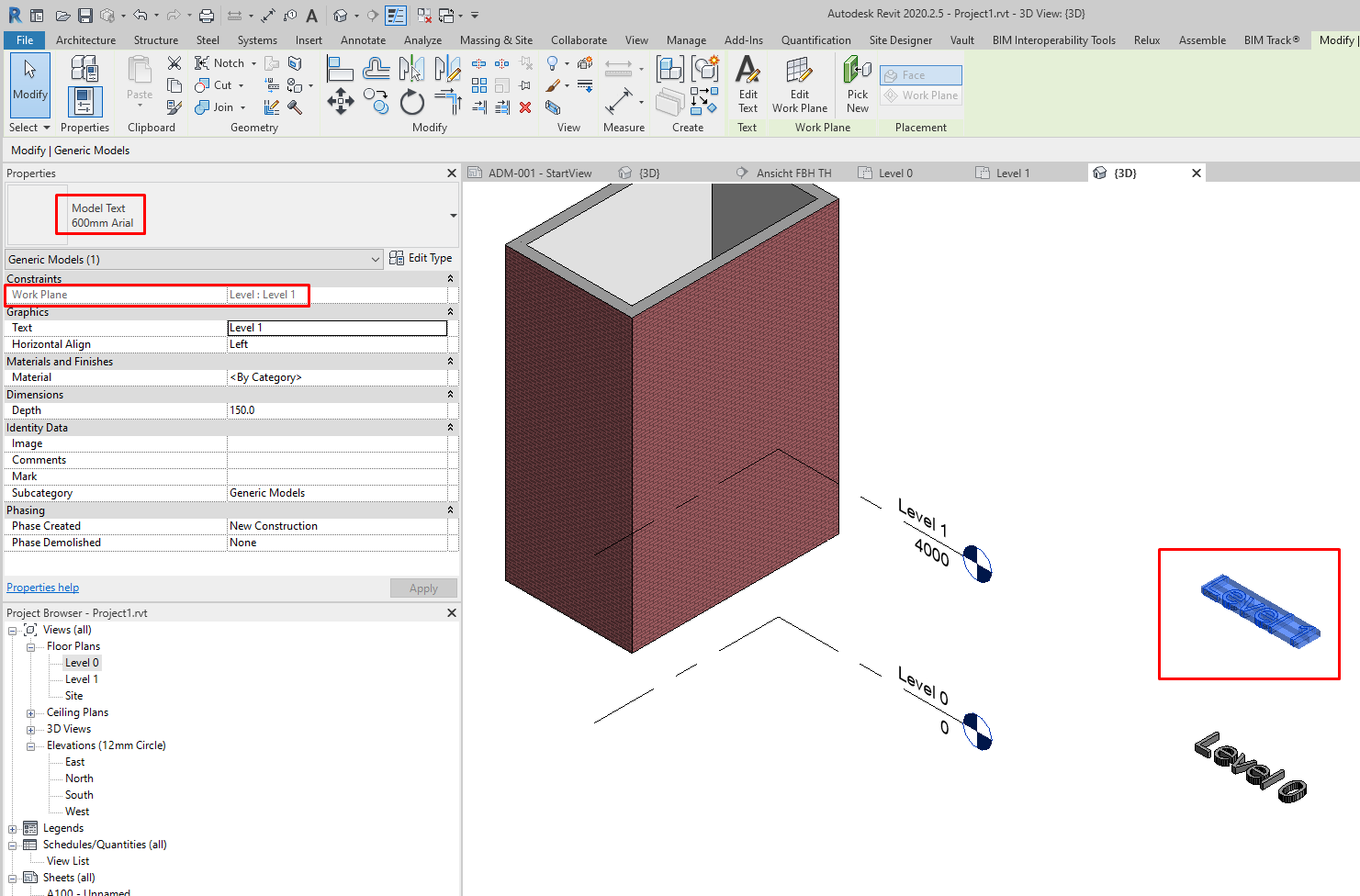
Note 2: Alternatively install IFC Model Exchange with Archicad for Revit which allows to export "empty" levels from Revit into IFC.