
Issue:
How to integrate Robot structural Analysis and Revit?
Solution:
To use the integration tool between Revit and Robot Structural Analysis, you must have the integration extension of both programs installed. If extensions are not previously installed, refer to How to download the Integration Extension for Revit and Robot Structural Analysis?
To integrate Revit and Robot Structural Analysis there are two approaches: Direct integration or intermediate (Smxx.) File.
- Direct integration tool. For this approach you must install both Revit and Robot Structural Analysis (and extensions) on the same computer.
- Revit to Robot
- Open a new empty Robot file.
- Open the Revit file then click in Analyze tab.
- Click Robot Structural Analysis button and select "link"
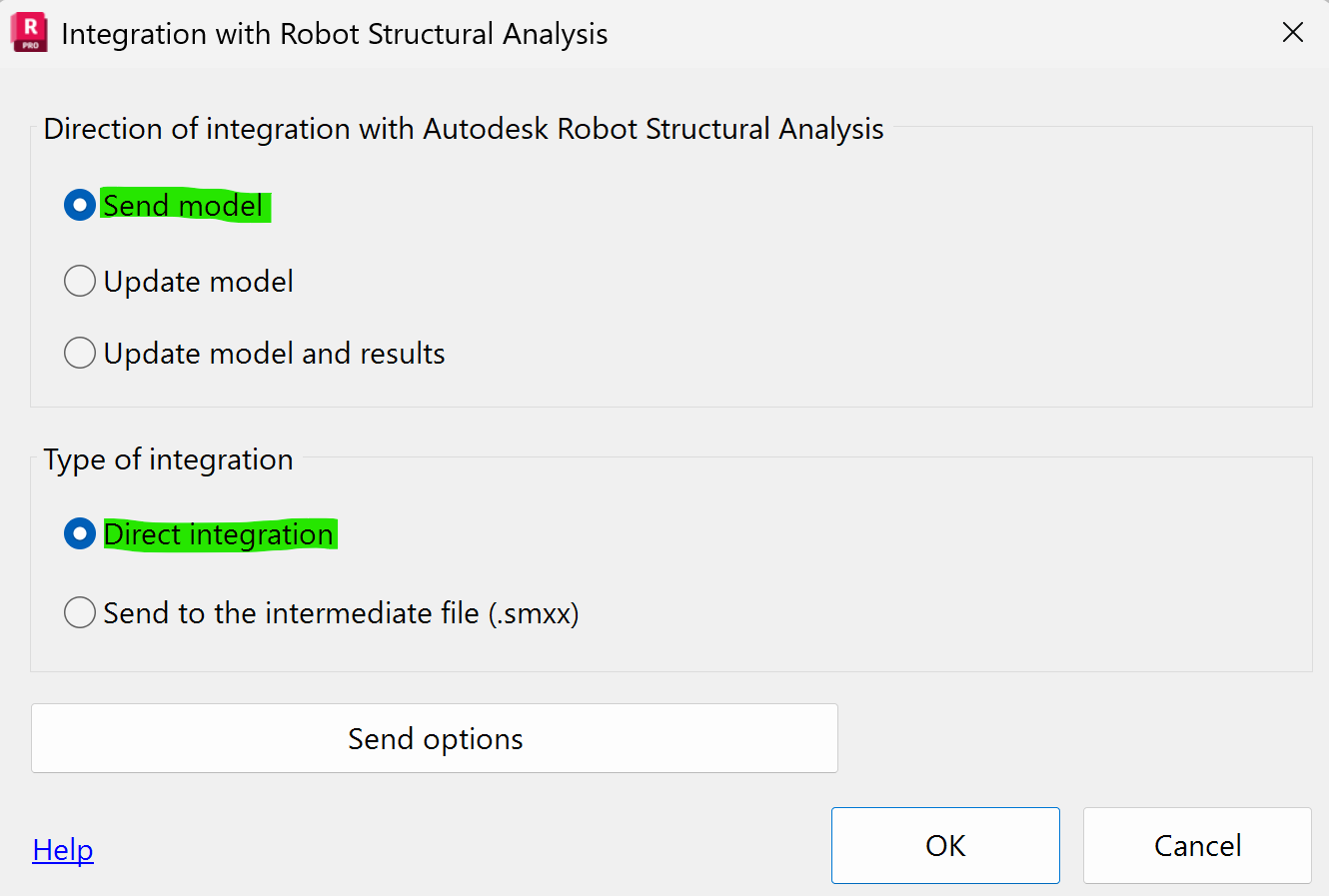
- Select "Send model" and "Direct Integration" options.
Both programs have to be open before proceeding to click OK - Click OK, the model is sent to Robot.
- Robot to Revit
- Open the Robot file.
- Open a new empty Revit file, then click in Analyze tab.
- Click Robot Structural Analysis button and select "Link"
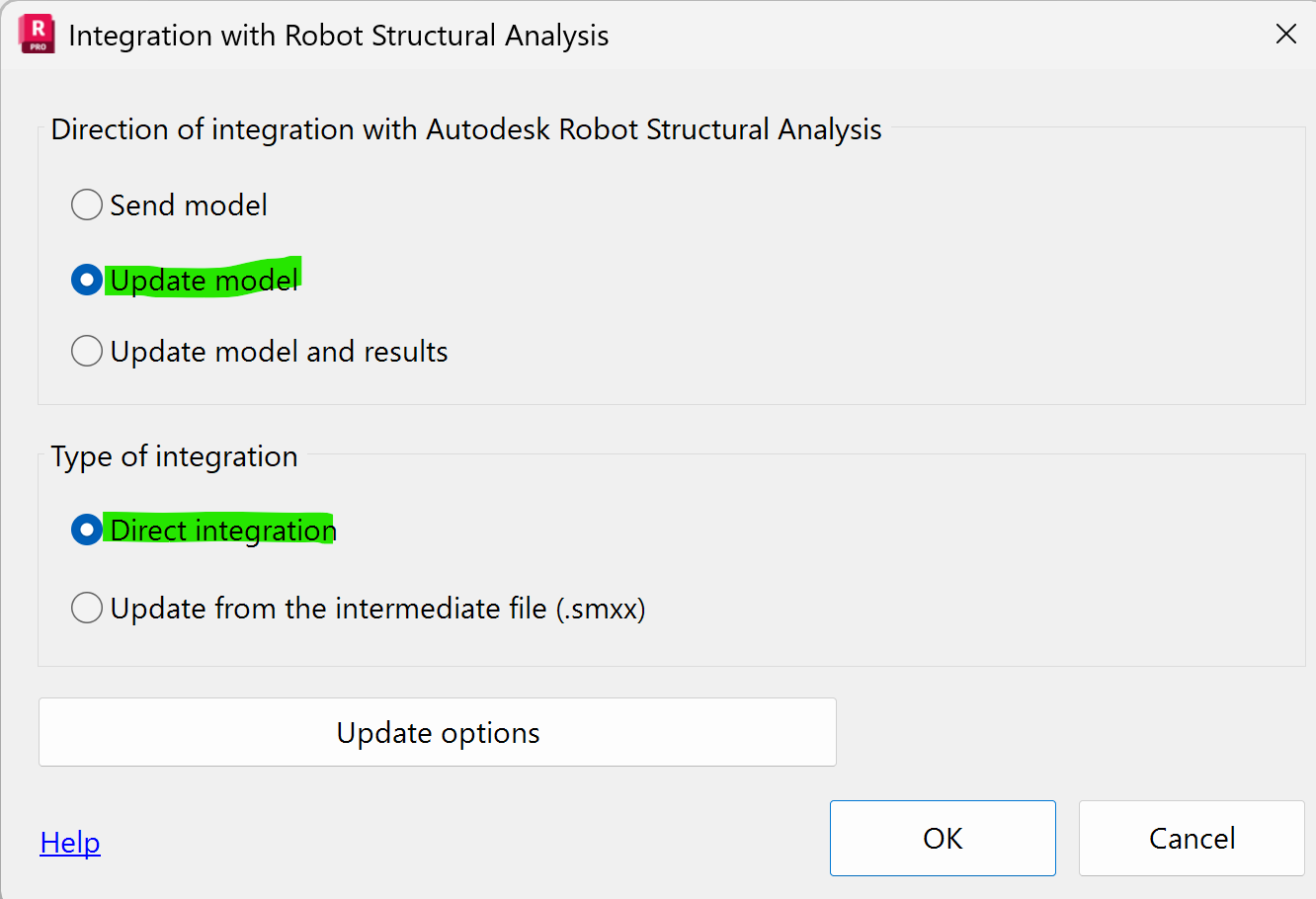
- Select "Update model" option.
Robot model must be open before proceeding to click OK - Click OK, the model is sent to Revit.
- Revit to Robot
- Intermediate Smxx file. Exporting the file from Revit or Robot and then importing it into Robot or Revit.
- Revit to Robot
- In Revit, click in Analyze tab click Robot Structural Analysis button and select "link".
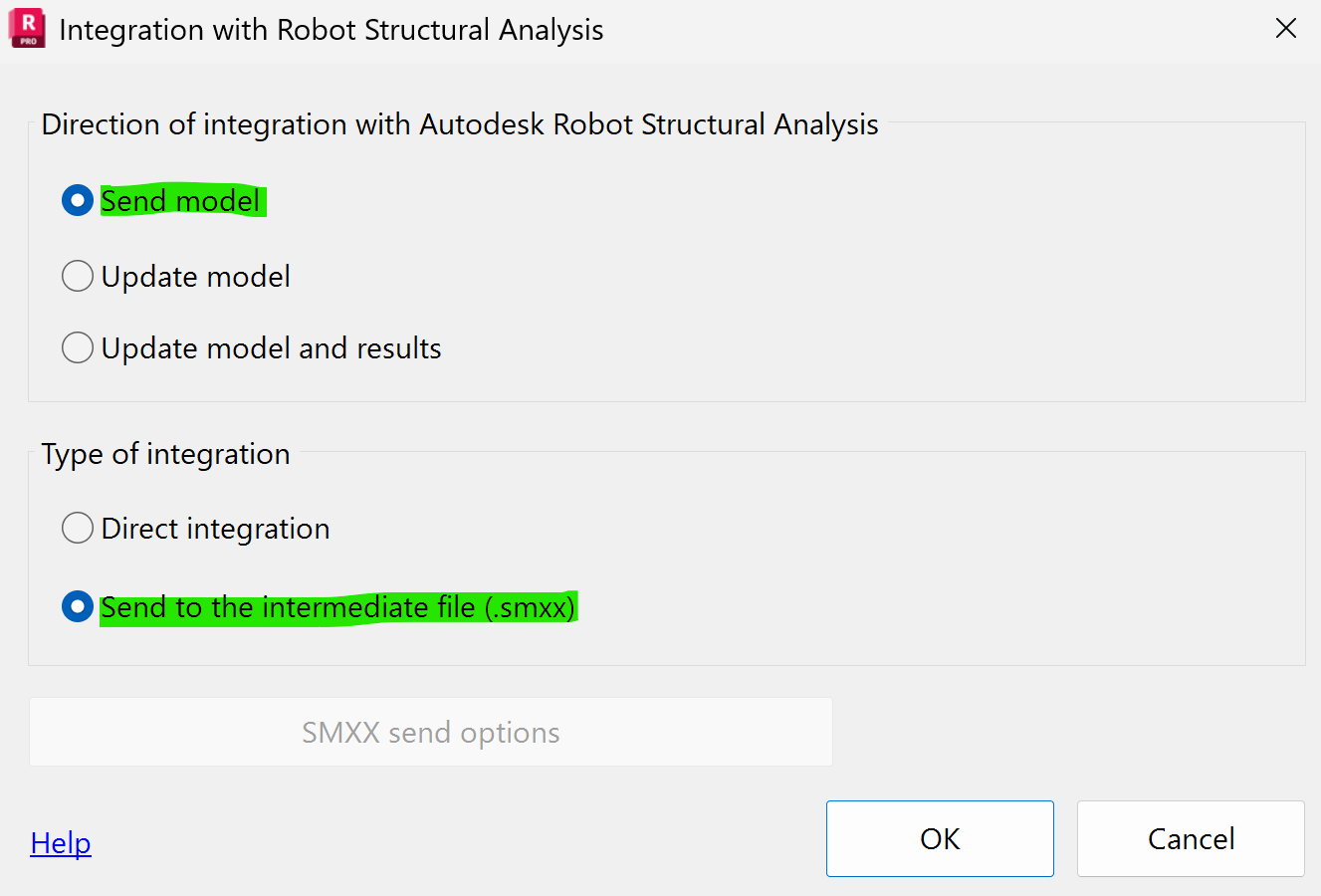
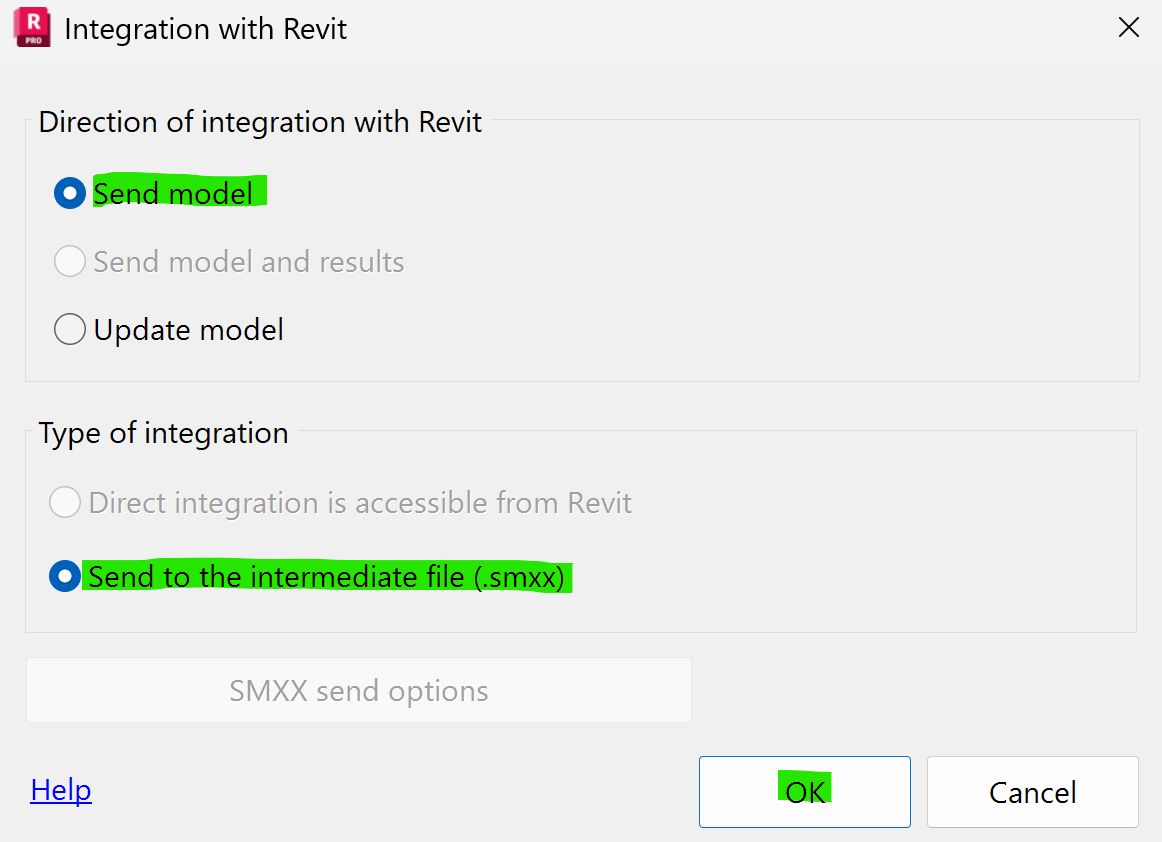
- Select "Send to the intermediate file (.Smxx)" and click OK
- Save the file.
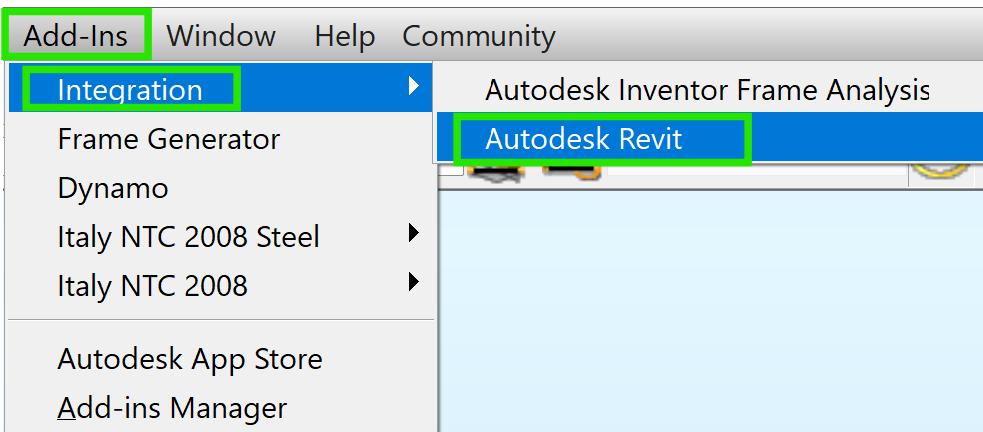
- In a new Robot file, click the Add-ins menu > Select "Integration" and "Autodesk Revit"
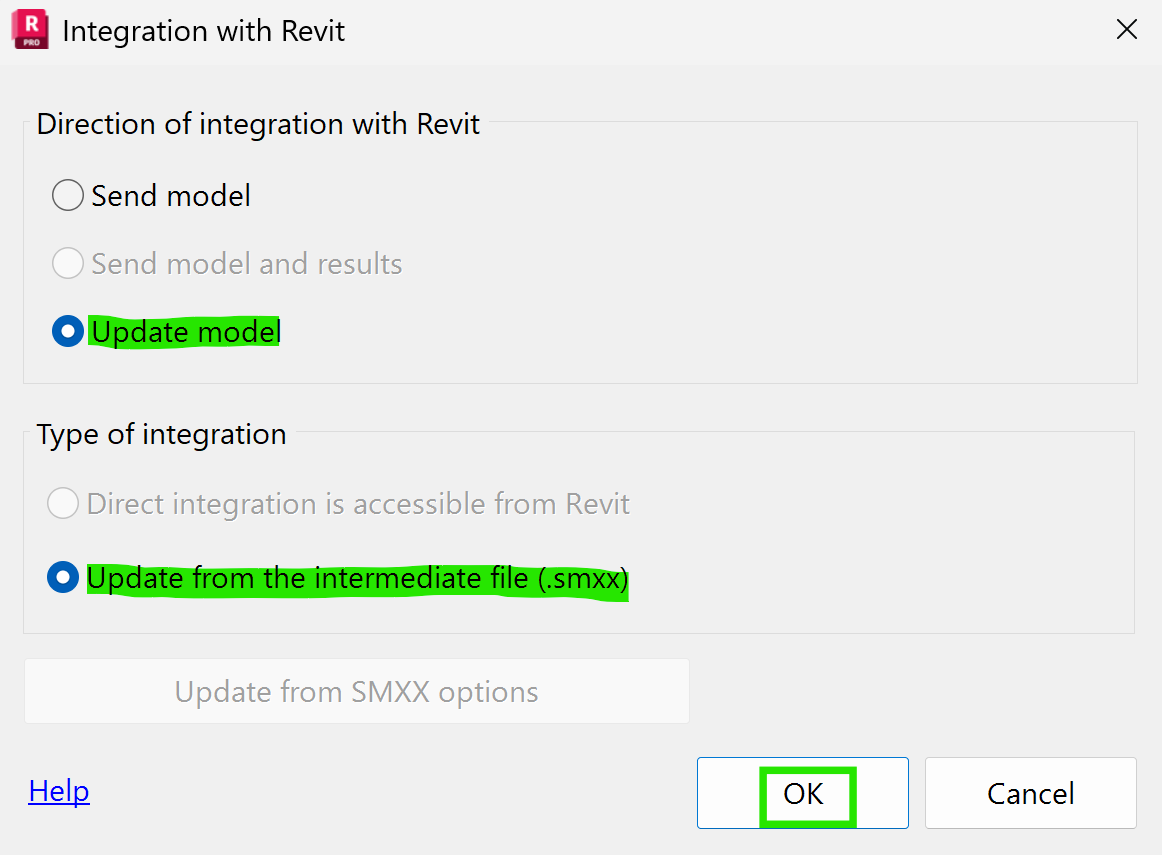
- Select "Update model" and "Update from the intermediate file (.Smxx)" and click OK
- Select the (.Smxx) file previously created in Revit and Open
- The model is open in Robot
- Intermediate Smxx file Robot to Revit
- Open the Robot file > click Add-ins menu > Select "Integration" and "Autodesk Revit"
- Select "Send model" and "Update from the intermediate file (.Smxx)" and click OK
- Save the file.
- In a new Revit file, click Analyze tab and on Robot Structural Analysis button and select "link"
- Select "Update model" and "Update from the intermediate file (.Smxx)" options. Then click OK
- Select and open the file previously created.
- The model is open in Revit.
- Revit to Robot

Note: Both programs must run in the same version, for example Revit 2026 and Robot 2026, to have compatibility.
See Also:
For version 2024 and earlier the following article can be useful:
For more information of Revit and Robot interoperability a webinar is available in English and French: