
Issue:
When dimensioning a wall, wall opening height can be included in the dimension line with the openings height parameter.

Doors and windows have more parameters related to their geometry. There are rough height and width parameters in window/door families to specify the raw building dimensions of the construction. How to display the rough height value of wall opening within dimension lines?
Causes:
Revit recognizes the built-in 'Heigh' parameter while displaying the Opening Heigh value within the dimension line.Solution:
Changing the parameter which will be recognized and displayed within the dimension line as Opening Heigh value is currently not available.A wish for a related product enhancement has been logged on Revit Ideas here:
Allow dimension lines to read Rough Width / Height parameters of doors/ windows
As a workaround:
- Annotate wall openings (Windows/ Doors) with a tag family that reads the Rough Height parameter
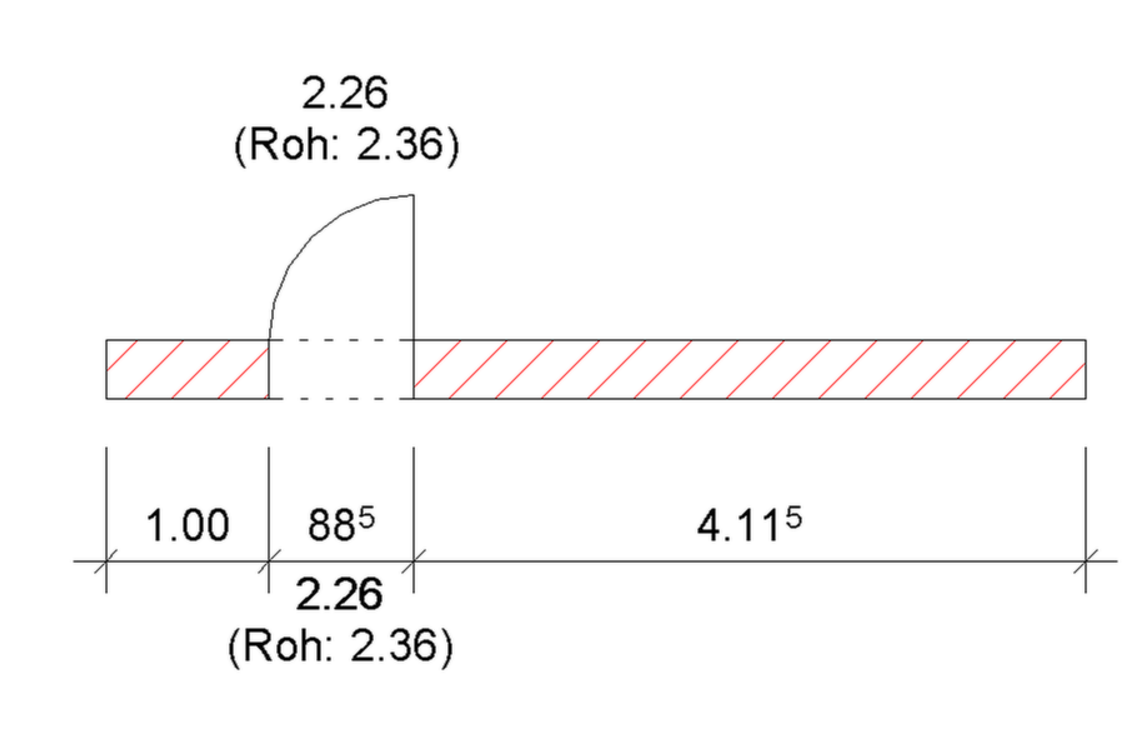
- edit the Opening Family to change the built-in 'Height' Parameter by creating a formula to add extra value. This method will change the value of the 'Height' Parameter and allow displaying rough opening height within the dimension line.
Note: Make sure that all parameters corresponding to the initial 'Height' value are properly adjusted and the geometry will remain unchanged.
See Also:
- German Forum: Bemaßung Tür-Fensteröffnung Höhe mit Rohbaumaß!
- How to include window clear height into the dimension line in Revit