Issue:
How to create Assets and Shot task dependencies in Flow Production Tracking?
Solution:
Currently, Dependency fields only autocomplete for Tasks of the same Entity. To link tasks across different Entities follow the following steps:
- Go to a Task page.
- List the Tasks needed from the Assets and Shots to be displayed, using the filters.
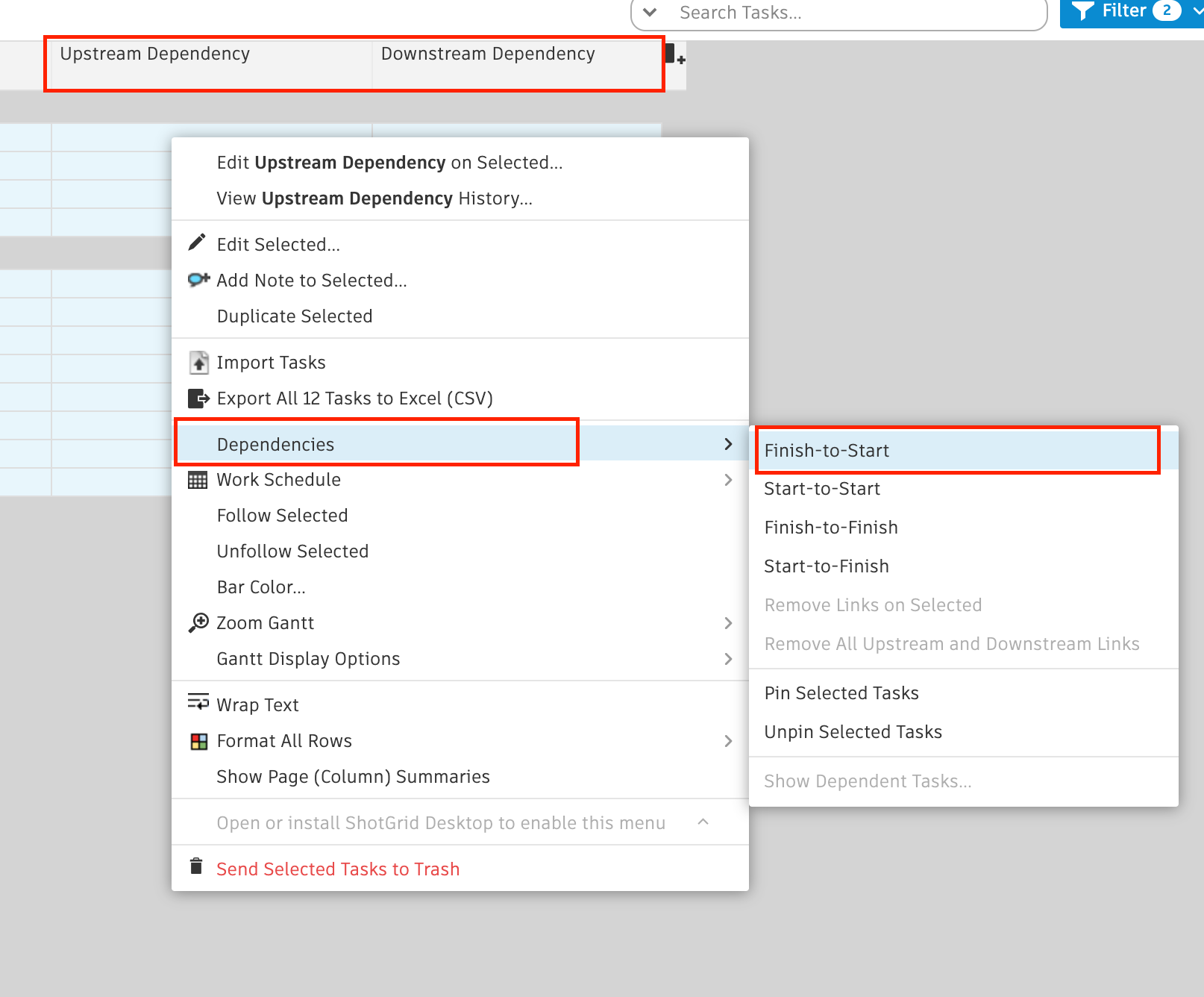
- Display the fields Upstream and Downstream Dependency.
- From the Fields menu select Manage Task Fields.
- Create a Number field.
- Assign the order number.
- Sort by this field.
- Select all Tasks and right-click > Dependencies.
- Select the Dependency type needed.
Products:
Flow Production Tracking;