
Issue:
The following error occurs when attempting to:
- Install the Vault client.
- Open the Vault client.
- Navigate to an AutoCAD .dwg in Vault.
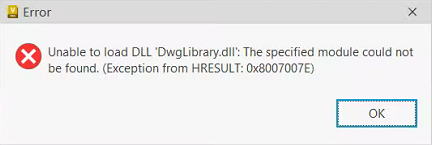
Error
Unable to load DLL "DWGLibrary.dll" could not be loaded: The specified module could not be found. (Exception from HRESULT: 0x8007007E).
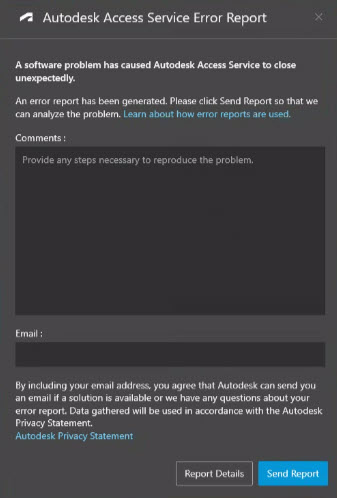
The error may also be accompanied by an Autodesk Access Service Error Report form:
Environment:
Windows
Causes:
This can have multiple causes:
- Missing or corrupted DLL in Vault client deployment.
- Missing Path variable for AutoCAD.
- Antivirus policy changed.
- Multiple AutoCAD versions installed.
- Corrupted Windows operating system.
- Corrupted Vault Client installation or local profile.
Solution:
Depending on the cause the solution will vary. Please try the following solutions ordered by most common cause (click to expand):
Corrupted Vault Client
If the cause is due to a corrupted Vault client, try one of the following to resolve the issue:
- Repair the Vault Client. See Vault Professional 2024 Help: Repair an Installation.
- Clean uninstall and then reinstall the Vault Client. See Uninstalling and reinstalling the Vault Client and Where to download products and updates.
- Reset the local Vault profile. See How to delete the local Vault client profile and the Windows User Profile.
Path Variable missing for AutoCAD/DWG TrueView
Add to Windows Environment Variable:
- AutoCAD Installation Path (e.g. "C:\Program Files\Autodesk\AutoCAD YYYY\")
- DWG TrueView installation Path(e.g. "C:\Program Files\Autodesk\DWG TrueView XXXX - English\")
See Adding folder path to Windows PATH environment variable for more details.
Antivirus policy changed
Check that the suggestions from the following article are implemented:
Multiple AutoCAD versions installed
If multiple AutoCAD versions are installed, try one of the following:
- Uninstall versions of ACAD that are not needed.
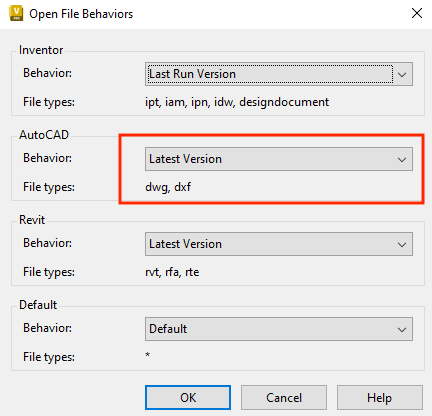
- In Vault Client, select Tools > Options > Open File Behaviors > AutoCAD > Behavior > Select Default.
- For more information see Configure Open File Behaviours.
Corrupted Windows Operating System
Re-image the Windows OS.