
Troubleshooting Subscription Access
After an account admin assigns the Workflow Advisory subscription in Manage, entitled users can open Workflow Advisory, browse tools, and complete downloads through the Autodesk Design and Make Marketplace. Use this topic to confirm that Manage assignment is working and to diagnose when it is missing or incomplete.
When subscription is working
When the Workflow Advisory subscription is assigned correctly in Manage, entitled users see the following:
- Workflow Advisory: The user opens the platform without an access banner or message.
- Downloadable tools: The user selects Download on a tool and the Get button is enabled on the Autodesk Design and Make Marketplace page for that tool.
- Web Based Tools: The user selects Launch and the Web Based Tools portal opens after an administrator completes Set up Web Based Tools.
To download or launch a tool after you confirm entitlement, see Download a tool and Launch a Web Based Tool.
When subscription is not working
If Manage assignment is missing or incorrect:
Workflow Advisory: A banner or message indicating that you do not currently have access to Tools.

Marketplace: The Get button is greyed out.
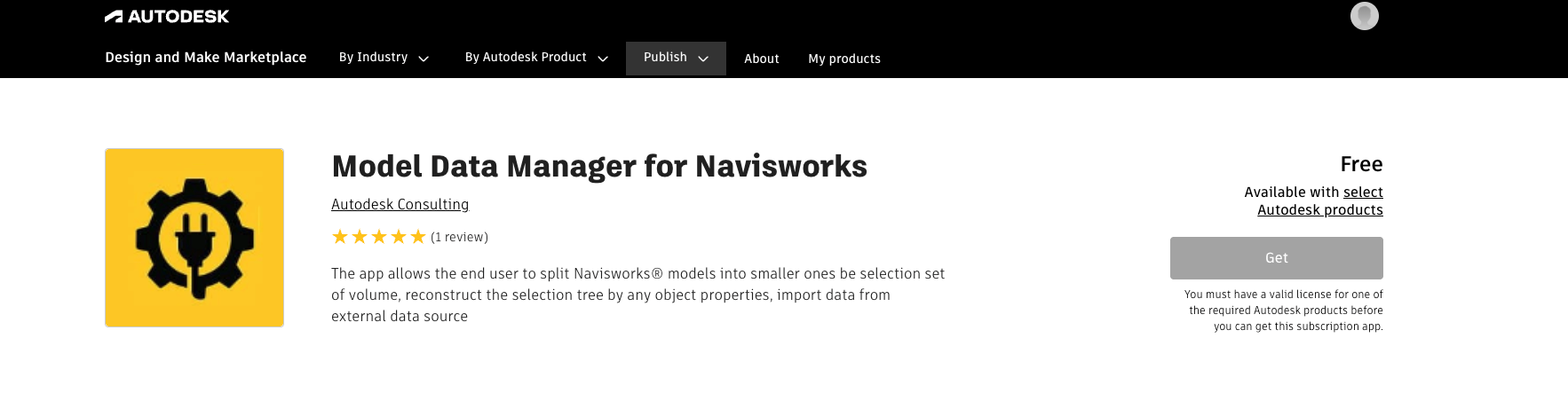
Marketplace notification: A message that the Workflow Advisory subscription must be assigned through Autodesk Manage under Products & Services before you can acquire the tool.
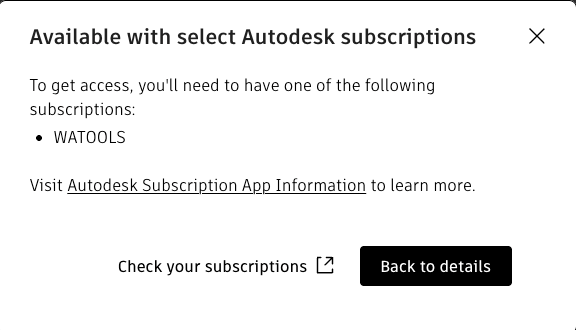
Contact your account administrator to verify Manage assignment. Account admins can follow Assign the Workflow Advisory subscription to users.
Web Based Tools
Downloadable tools require Manage assignment only. Web Based Tools require Manage assignment and additional configuration. See Set up Web Based Tools.
Related topics
- Assign the Workflow Advisory subscription to users
- Download a tool
- Launch a Web Based Tool