
About the Workflow Advisory platform
Workflow Advisory is the web application where entitled users browse tools, navigate to Download tools or launch Web Based tools, and administrators configure Forma access for Web Based tools.
Access the platform
Sign in to advisor.autodesk.com with your Autodesk account. You need an assigned Workflow Advisory subscription before you can download tools or configure settings.
What the platform includes
| Area | Who uses it | What you do |
|---|---|---|
| Tools | All entitled users | Browse the catalog, download or launch tools |
| Settings in Web Based Tools | Account administrators | Manage Forma integration |
Who should use the platform
- Account administrators — Provision Workflow Advisory through Autodesk Manage and configure Forma integration for Web Based Tools, configure Web Based Tool settings after integration is complete.
- Team members — Browse Tools and use utilities they are entitled to access.
Browse the Tools catalog
Open Workflow Advisory advisor.autodesk.com to browse available tools.
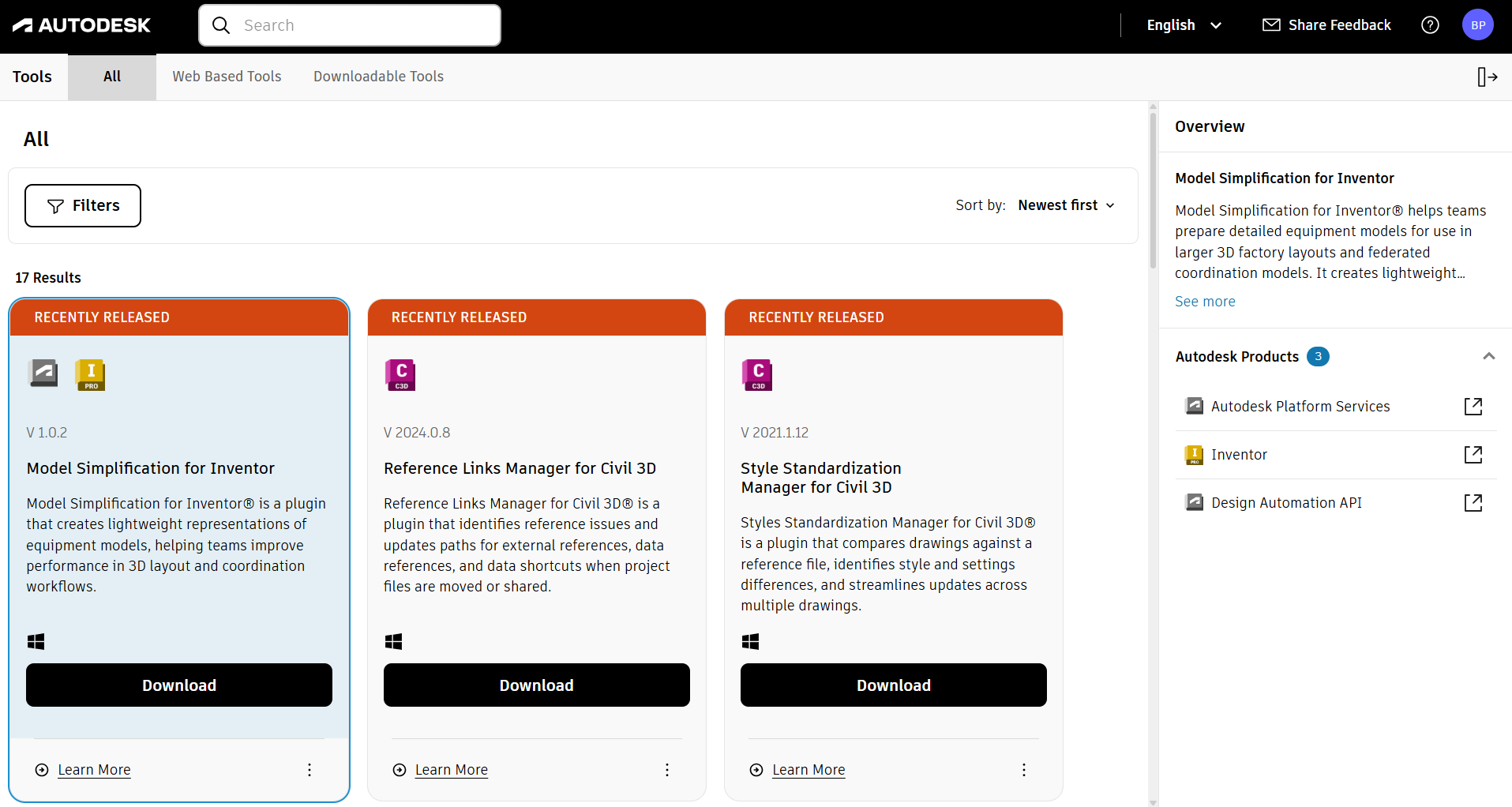
Tabs
- All — Downloadable and Web Based Tools together
- Web Based Tools — Tools that open in the Web Based Tools portal
- Downloadable Tools — Tools you download and install locally
Filters, sorting, and tool cards
Use Filters for Tools or Products. Use Sort by to order results (for example, Newest first).
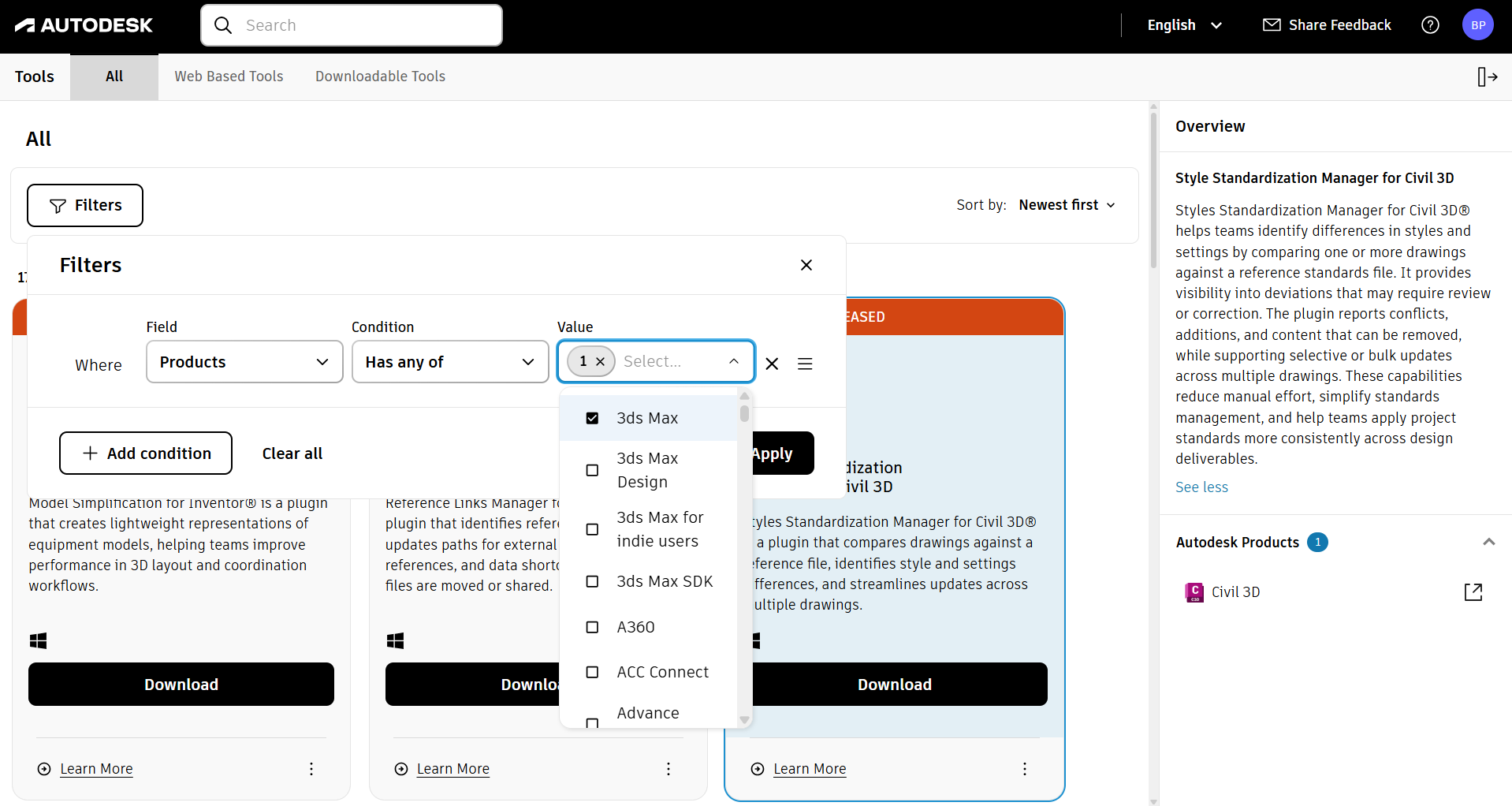
Each tool card shows the tool name, version, short description, and primary action (Download or Launch). Select the Overview and Autodesk Products for that Tool, or Select Learn More for additional detail.
See the next topic, Getting started guide.