
Submit feedback
Report a bug or request an enhancement for a Workflow Advisory tool. Your submission is reviewed by the Autodesk team, anonymized, and published to a shared community board where it can be prioritized alongside feedback from other customers. For a full overview of the process, see Priority Resolution Program.
Before you begin
You do not need to create an account before submitting. Your account is created automatically when you submit your first item.
Steps
- Open the Workflow Advisory tool where you encountered the issue or want to request an enhancement.
- Select Share Feedback in the tool interface.

Complete the form. Include:
- A clear description of the issue or request
- The environment where the issue occurs
- Your contact information
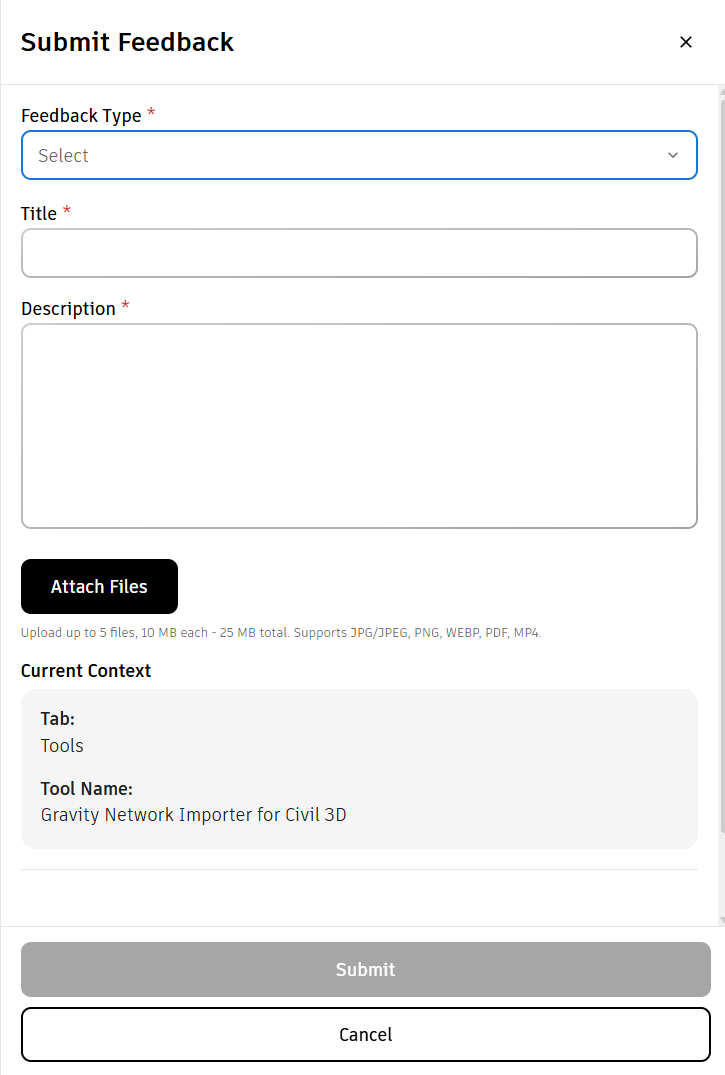
- Submit the form.
Expected result
You will receive an onboarding email invitation to feedback.autodesk.com. Accept the invitation to access your submission and track its status.
What happens after you submit
| Stage | What happens |
|---|---|
| Validation | The Autodesk team reviews your submission for completeness and clarity. |
| Anonymization | Your name, company, and any proprietary references are removed before the item is published. |
| Opened for community review | Your anonymized submission appears on the shared public feedback board, open for community review. |
| Prioritization | Resolution Managers review and upvote items. The Autodesk team analyzes rankings and finalizes the sprint queue for the current cycle. |
| Resolution | Selected items may be addressed by the sprint team. You may be notified when a change ships. |
Tracking your submission
After accepting your onboarding invitation, sign in to feedback.autodesk.com to:
- View the status of your submitted items
- See where your item sits on the community board
- Receive updates when status changes
Item status reference
| Status | Meaning |
|---|---|
| Submitted | Your item has been received and is pending Autodesk review. |
| Open for discussion | Your item has been anonymized and published to the public board. |
| Team review | The upvoting period has closed. Autodesk is finalizing the priority queue. |
| In progress | Your item has been selected and assigned to the sprint team for the current cycle. |
| Released | A change related to your item has shipped. |
Notes
- All feedback is published to a shared board visible to all Workflow Advisory customers. Your identity is never shown.
- Customer input helps inform prioritization. It does not guarantee a specific fix, enhancement, roadmap commitment, or delivery date.
- Operational mechanics may change over time. Autodesk's obligations are solely as outlined in the Terms of your Agreement.
- If you submitted via a support ticket, the Autodesk consulting team may convert it to a feedback item on your behalf.