Issue:
Users reported that when they are attempting to select a sketch profile for an Extrude or other modeling commands in Fusion, the feature does not allow the desired sketch profile to be selected.
Causes:
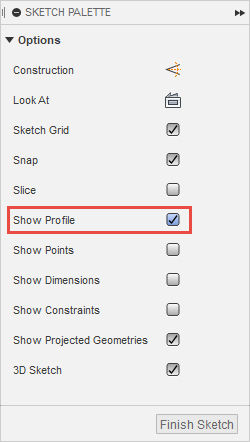
- The "Show Profile" option is disabled when creating the sketch.
- The sketch geometry may not be a closed profile.
- The sketch geometry is not all within the same sketch.
- The sketch geometry is not all on the same sketch plane.
- Auto projected geometry overlaps the designed sketch and the profile selection for extrude becomes difficult.
- The line type is construction line.
- Sketch profiles overlap to each other and it is difficult to select the required sketch profiles.
Solution:
Activate Show Profile
- Right-click on the affected sketch within the timeline or the browser tree.
- Select Edit Sketch.
- Activate "Show Profile".
- Finish Sketch.
- Extrude the sketch profile.
Close the Sketch Profile
- Diagnose sketch and identify profile errors. See: Sketch is not recognized as closed profile in Fusion.
- Apply coincident constraints to close any openings in the Sketch Profile. See: Distinguish coincident constraints.
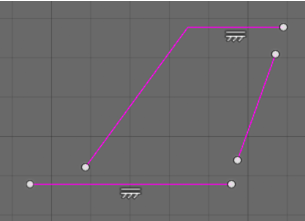
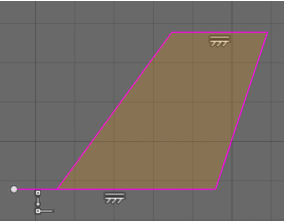
- Convert any construction geometry used to create the sketch profile to sketch geometry.
Turn off AutoProject
- Go to Preferences > Design.
- Deselect "Auto project edges on reference".
- Deselect "Auto project geometry on active sketch plane".
Note: this will not retroactively change existing sketches.
Confirm that all sketch lines are in the same sketch
- Confirm that all sketch lines composing the profile are within the same sketch. Otherwise, it will not be recognized as a closed profile.
- Consider copying and pasting sketch lines between sketches to consolidate.
- Project sketch geometry into one sketch to create a closed profile in the desired sketch.
Confirm that all sketch lines are on the same sketch plane
- Select all contents of the sketch.
- Right-click > Move to Sketch Plane.
Delete the unnecessary sketch profiles
- Edit the sketch and use the "Break Link" option to separate the sketch profiles.
- Delete any unnecessary sketch profiles.
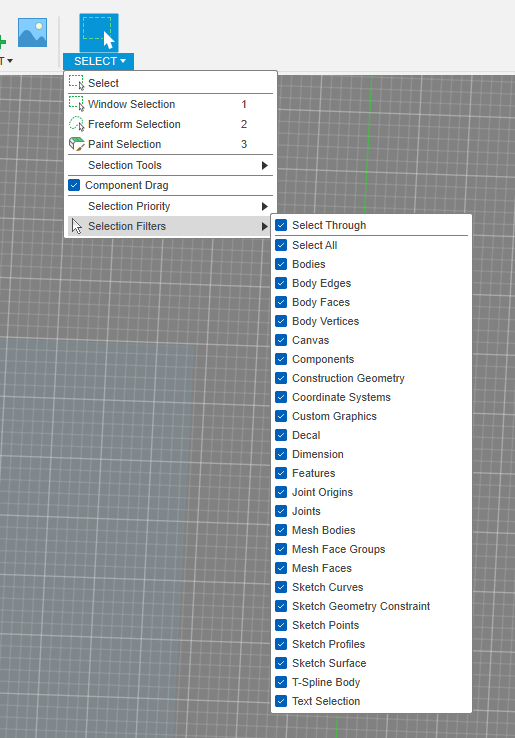
Check the selection filter