
Need support? Explore our extensive range of help options to resolve your issues quickly and efficiently.
Digital self-help
1. Autodesk Support page
Go to Autodesk Support to search for help articles, how-to guides, and troubleshooting steps for common issues.
The AI Search Summary will help you get answers from trusted Autodesk sources.
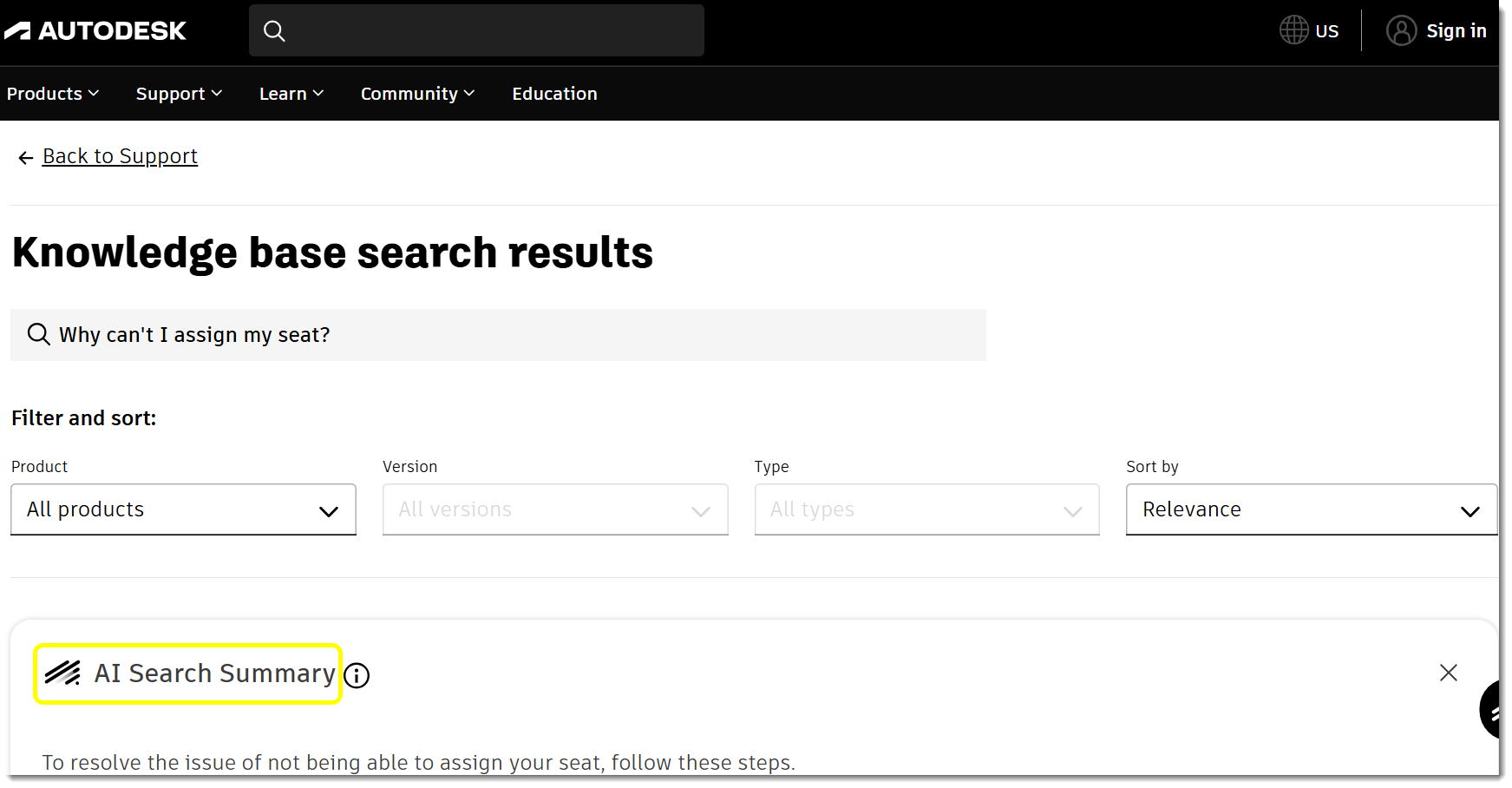
Check the sources listed below each summary to verify information. Find step-by-step guides and troubleshooting tips for common problems.
2. Autodesk Assistant
Get help anytime—24/7/365—through the Autodesk Assistant.
Tell the Assistant about your issue just like you would explain it to a colleague or support agent. Please include as many details as you can so the Assistant can better understand your situation and help you quickly. You can keep chatting with the Assistant and add more details to your description after you get the initial response.
Here are some examples of things you can ask the Assistant:
- "How do I know how big the object is in Fusion? I want to be able to know the height and length of the object."
- "I'm a student in high school, and it tells me that my license has expired."
- "I'm an admin and cannot assign 2 seats for Inventor Professional in the User management to user 1 and user 2. It tells me [Description of message/error.]"
The Assistant is ready to guide you through common issues such as sign-in difficulties, licensing questions, and product errors. Simply describe your issue, and you'll receive support tailored to your needs.
You can find the Assistant:
- At the bottom-right corner of your Autodesk account.
- At the bottom-right corner of all Autodesk main .com pages.
- From within certain products, where it’s accessible from the product help menu.
Visit Autodesk Assistant powered by Autodesk AI to learn how the Assistant is also integrated into the tools you use every day.
3. Autodesk Community
Visit the Autodesk Community and get access to peers and experts to connect, solve problems, share expertise, and get the most out of your Autodesk software.
Assisted support
1. Connect with an agent or create a case using Autodesk Assistant
Still need help? Follow these steps to connect with us via the Autodesk Assistant:
- Open the Autodesk Assistant using the icon in the lower‑right corner of your screen
.
- Describe your issue to the Assistant and type “Agent” to request connection with a Support Specialist.
- Sign in to your Autodesk account when prompted so the Assistant can access your account details and help open your case faster.
2. For Forma for Construction (formerly Autodesk Construction Cloud), get support within the product
Support is available directly within the product for:
- Forma Data Management (formerly Autodesk Docs)
- Autodesk BIM Collaborate
- Forma Design Collaboration (formerly Autodesk BIM Collaborate Pro)
- Forma Build (formerly Autodesk Build)
- Forma Takeoff (formerly Autodesk Takeoff)
See How to contact Technical Support for requests regarding Forma for Construction platform for step-by-step guidance.
3. Enterprise and Business customers
If your company has an Enterprise Business Agreement (EBA) or Business Success Plan, the Support cases page also offers you the option to create a case through a web form.
Manage support cases
Manage cases you own or have access to.
- Sign in to your Autodesk account.
- Select the Support tab.