
Issue:
When launching Fusion 360, the following message appears:
Warning
C:/Users/[user]/AppData/Local/Autodesk/webdeploy/production/[code]/Win64/AdCefWebBrowser.exe: Path does not exist
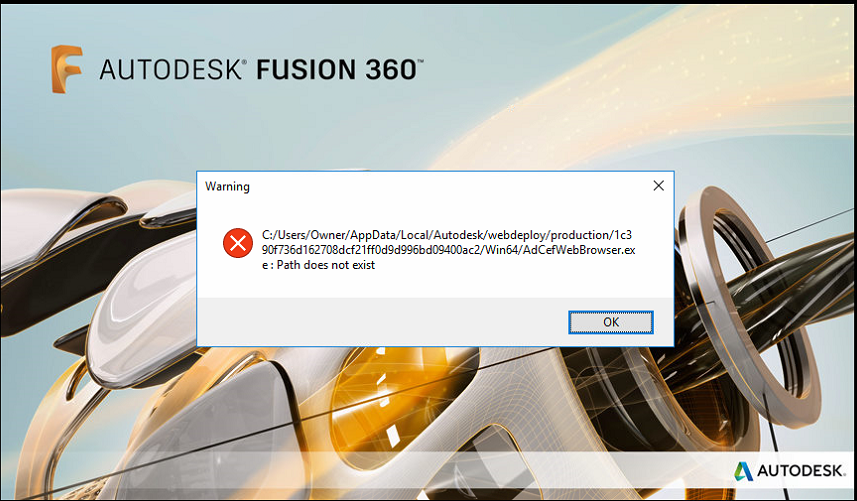
Note: The [user] and [code] in the error is unique to each user/system.
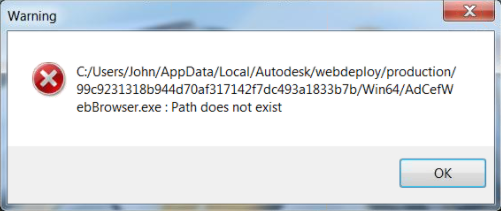
C:/Users/[user]/AppData/Local/Autodesk/webdeploy/production/[code]/Win64/AdCefWebBrowser.exe: Path does not exist
Note: The [user] and [code] in the error is unique to each user/system.
Causes:
- Antivirus software or malware is removing the adcefwebbrowser.exe file from the installation directory.
- Microsoft Visual Studio Redistributable needs updating.
Solution:
Solution for malware as the root cause:- Perform a system-wide virus scan.
- Allow security software to quarantine any malware that it locates.
Sometimes, malware disguised as an explorer.exe process has been documented to cause this issue (Example: A 32-bit version of the explorer.exe found in C:\Windows\SysWOW64\). A scan by Malwarebytes is know too successfully resolved this issue.
Solution for antivirus as the root cause:
- Add an exclusion in the settings of your antivirus software to exclude the scanning of the installation directory and subdirectories for Autodesk Fusion 360. Also refer Configuring antivirus software for use with Fusion 360 for more information.
Note: Please consult with your antivirus software manufacturer for the best method to add exclusions. - Download the AdCefWebBrowser.zip file attached at the bottom of this article.
Extract or unzip the AdCefWebBrowser.zip to the directory mentioned in the error message.
Note: The adcefwebbrowser.exe executable file should be located in the Win64 directory.- Start Fusion 360.
Update Microsoft Visual Studio Redistributable:
In some rare occurrences, the warning comes up because some .dll files are missing that are included in newer versions of Microsoft Visual Studio. Update Microsoft Visual Studio Redistributable (see The latest supported Visual C++ downloads). More information can be found in this forum post: Data panel greyed out after up date.
If the above methods do not report any problem, the way to troubleshoot further this issue is to run Microsoft's Process Monitor to examine the file system requests issued by when the adcefwebbrowser.exe is being deleted. Setup path-based filters in ProcMon to monitor the delete. Review the results for the originating process of the delete command and remove the conflict from the system (see General Systems: The basics of using Process Monitor).
Programs that have been known to interfere with Fusion 360 include Roxio and Norton Antivirus.