
Issue:
After clicking Perform Status Inquiry on the Server Status tab of LMTOOLS, the following message is displayed:
lmgrd is not running: Cannot connect to license server system. The license server manager (lmgrd) has not been started yet,
the wrong port@host or license file is being used, or the port or hostname in the license file has been changed.
Server name:   SERVERNAME
License path:  @SERVERNAME
FLEXnet Licensing error:-15,570.  System Error: 10035 "WinSock: Operation would block"
Causes:
The most common causes of this message are:- The hostname and mac address in the license file does not match that of the server.
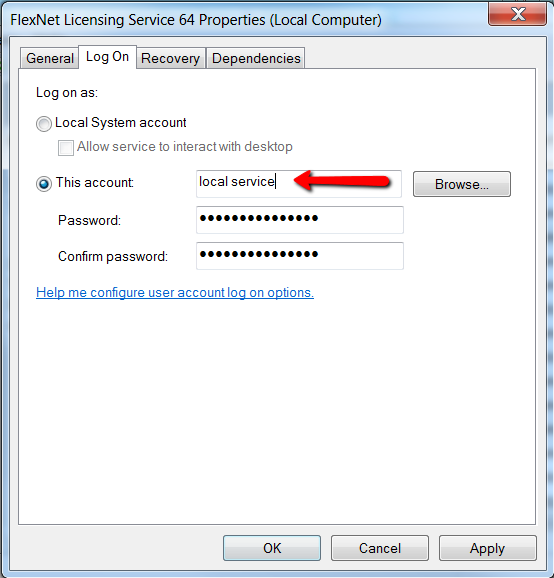
- The license service may be setup to run on a specific account.
Solution:
To fix the issue, check the following.
Check hostname and physical address
Verify that the hostname and physical address in the license file matches the hostname and physical address of the server.
Ensure the license service is setup to run on the Local System account
- In the Config Services tab of LMTOOLS, verify that all three paths are entered correctly and the Use Services and Start Up when Windows starts options are checked.
- Correct any errors in the service configuration and click Save Service.
- Open the Services.msc and locate the license service that was setup.
- Right click the license service name and select Properties.
- Go to the Log On tab, and ensure that Local System account is selected.
- Restart the license service.
- Return to the Server Status tab in LMTOOLS and click Perform Status Enquiry to verify that licenses are now available.
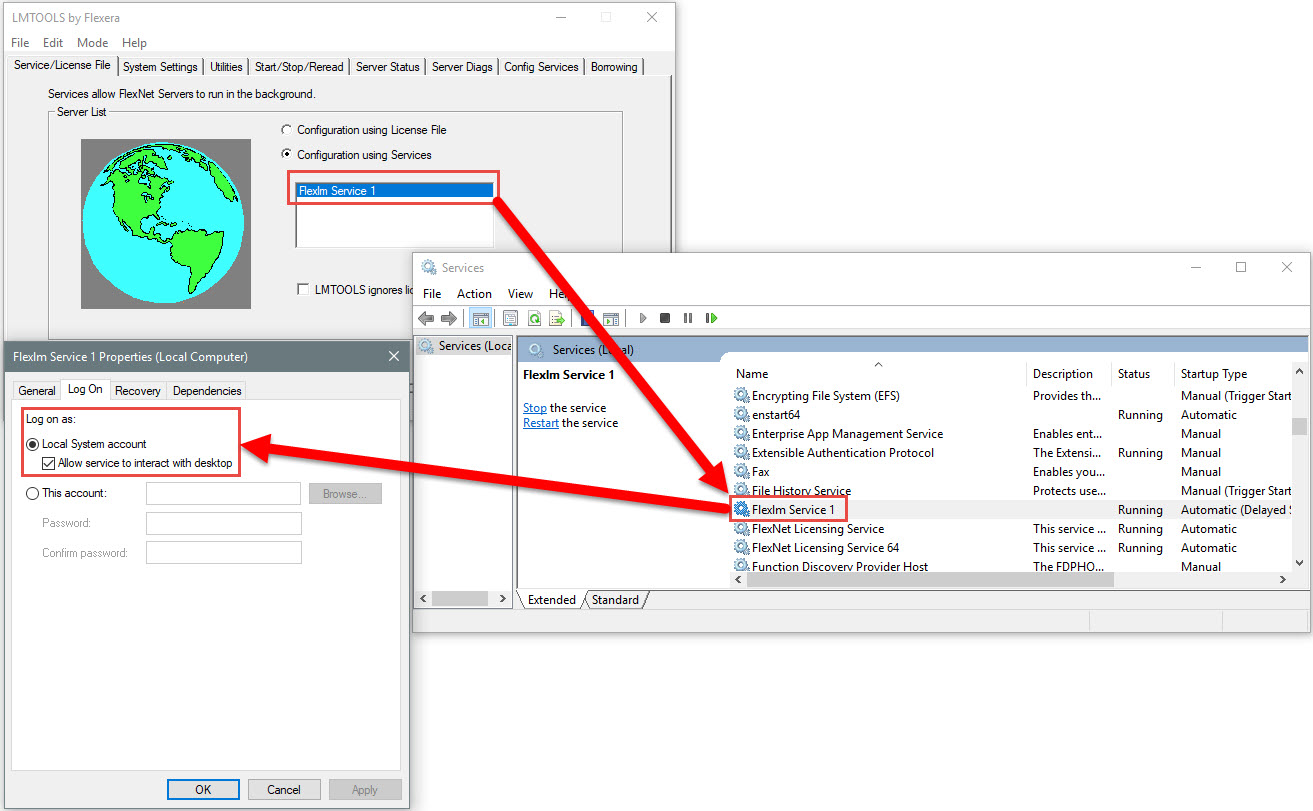
Note: It is required to specify a debug.log file in the Config Services tab.