
Issue:
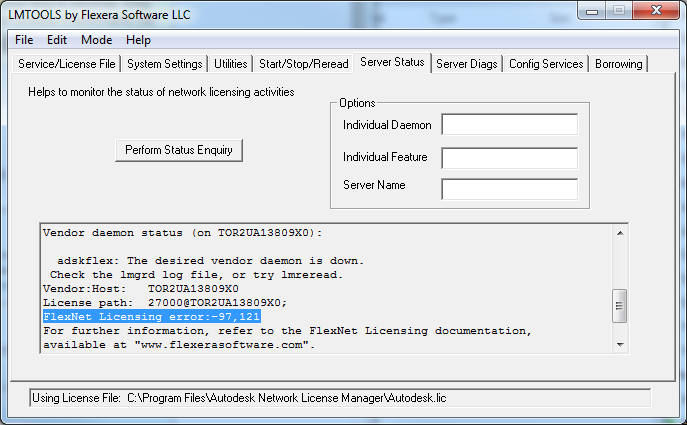
When launching an Autodesk program or performing a "Perform Status Enquiry" in LMTOOLS, the system returns the error: -97,121.
FlexNet Licensing error: -97,121
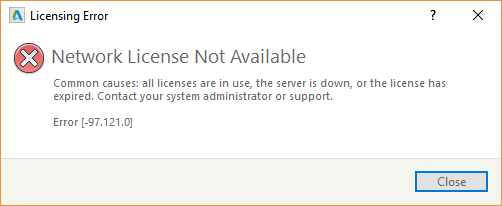
"Network License Not Available - Error [-97.121.0]"
Causes:
- Expired license.
- License switched from network (multi-user) to stand-alone (single-user).
- Incorrect information on the license file (license was hardcoded with the wrong MAC (ethernet address) or hostname).
- The default TCP port (2080) adskflex is blocked.
Solution:
Confirm with the software coordinator that the correct license type is being used. If the license recently switched to a stand-alone license, the affected programs require a change of license type for the software to work as intended. Refer to:
- "FlexNet License Finder" message asking for license server when launching Autodesk software | AutoCAD | Autodesk Knowledge Network
- Transition to named user | Account Management | Autodesk Knowledge Network
If the correct license type is a multi-user/network license, use the following steps to troubleshoot the issue:
Review the debug log file of the network license server to identify the cause of this error:
To obtain the log file:
- Open LMTOOLS.
- Go to the "Config Services" tab.
- Select "View Log".
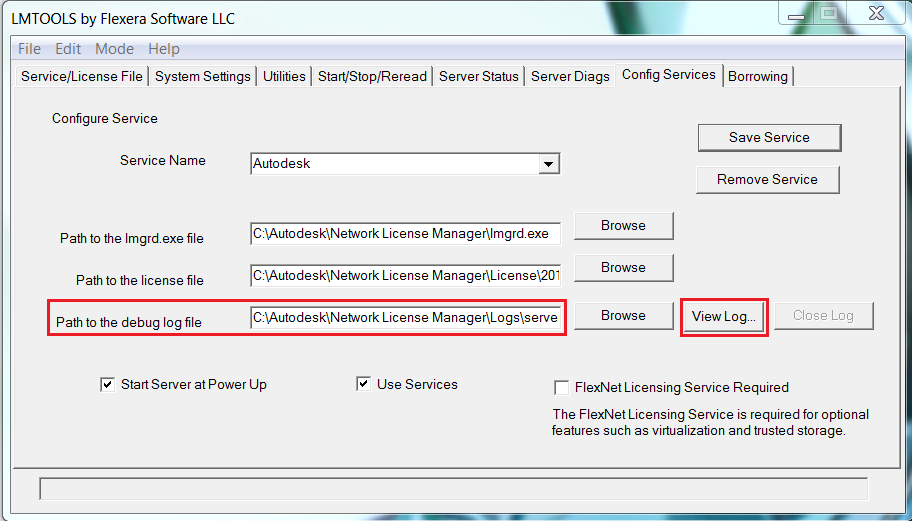
- Review the log file for any of the causes below:
Expired license
An "EXPIRED" callout before the product license code indicates that license has expired.
86815AECCOL_T_F: EXPIRED12:28:25 (adskflex)
12:28:25 (adskflex) EXPIRED: 86830ACD_2018_0F
The license file can be uploaded for review on License Parser, where the expiration date(s) of the licenses are listed clearly. If the license has expired, generate a new license file from manage.autodesk.com.
License was generated using the wrong host name
Correct the hostname in the license file. The localhost or 127.0.0.1 (loopback address) can be used, if necessary.
NOTE: The hostname is one of the few items that can be edited in a license file.
License was generated using the wrong MAC address
12:37:33 (adskflex) Invalid license key (inconsistent authentication code)
12:37:33 (adskflex)     ==>INCREMENT 86829PDCOLL_T_F adskflex 1.000 24-apr-2019 2
Note: For Autodesk Network License Server on a virtual system, make sure that MAC address on the virtual system is set to static and matches the MAC (Hostid, ethernet) address in the license file. A new license file will need to be generated if the MAC address on the license file does not match the host machine. To request a new license file refer to the following article links:
- Generate a Network License File in Autodesk Account - Network Admin
- Requesting a Network License File - Network Admin
The default TCP port 2080 reserved for Autodesk Network Licensing daemon, adskflex, is blocked
- Set an exception for the TCP port 2080 in the system and network firewall. Refer to:
- Change the default port to an open TCP port in the network license file. Refer to: