
Issue:
You would like to find service packs, hotfixes, and updates for the most current versions of products within your Autodesk account.
Environment:
Autodesk account
Solution:
- Sign in to your Autodesk account.
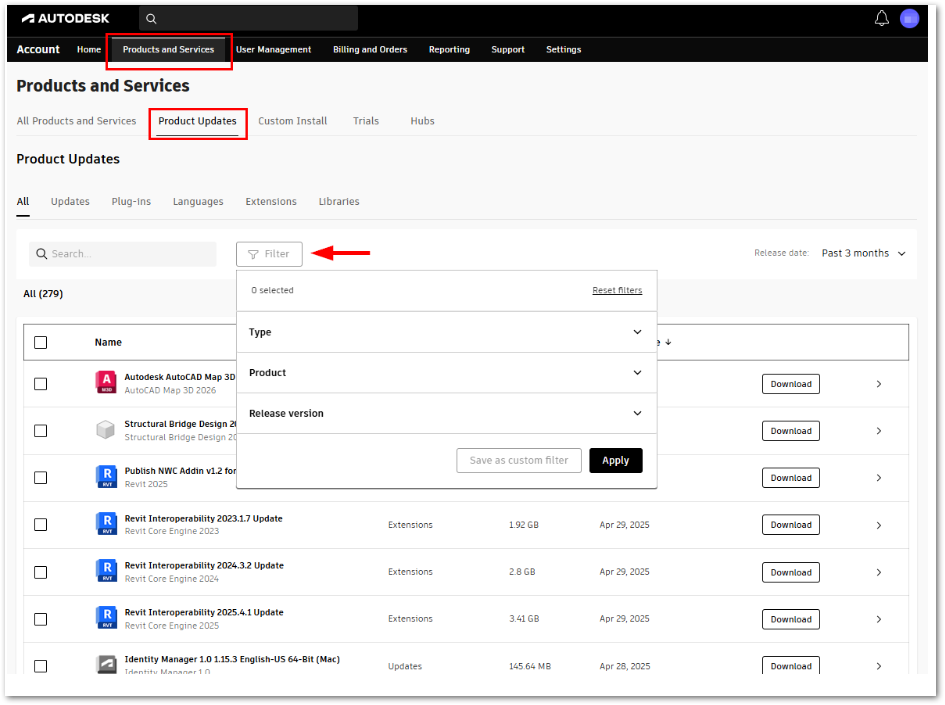
- Go to Product Updates under the section Products and Services.
Note: The search result can be narrowed down by using Filters feature: - Find the relevant service Pack, hotfixes, or update, and click Download.
See Also:
Update your software
How to find updates in Autodesk Access
Missing products or updates or add-ins in Autodesk Account