
Issue:
How to find/check the weight/mass/volume properties of a part or full assembly in Autodesk Fusion.
Solution:
To find the physical properties of a part/full assembly in Autodesk Fusion:
- Right-click the model name at the top of the browser tree or a specific component of an assembly.
- Select Properties.

- Scroll down and expand the Physical section.
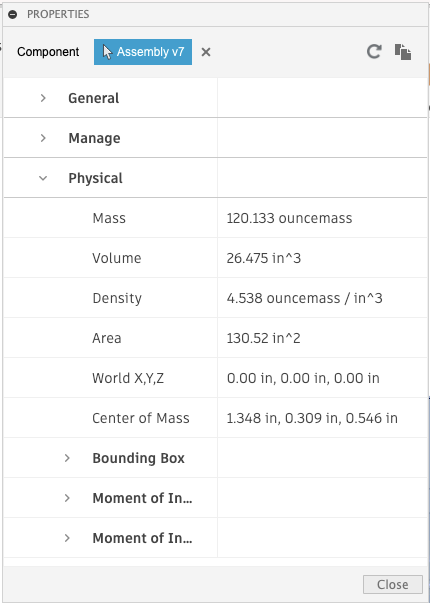
Note: Physical material and Appearance can be found under the General section. The mass properties of bodies and components are accessible by adjusting the component selection at the top of the dialogue box. Changing the document units will change the properties units.