
Issue:
How to import an image (PDF, TIFF or JPEG file) as an attached canvas in Fusion, so it can be used as a backdrop/reference/template to trace a sketch in Fusion.
Solution:
Insert the image file as a canvas.
- From the toolbar, open the Insert dropdown menu.
- Select Canvas.
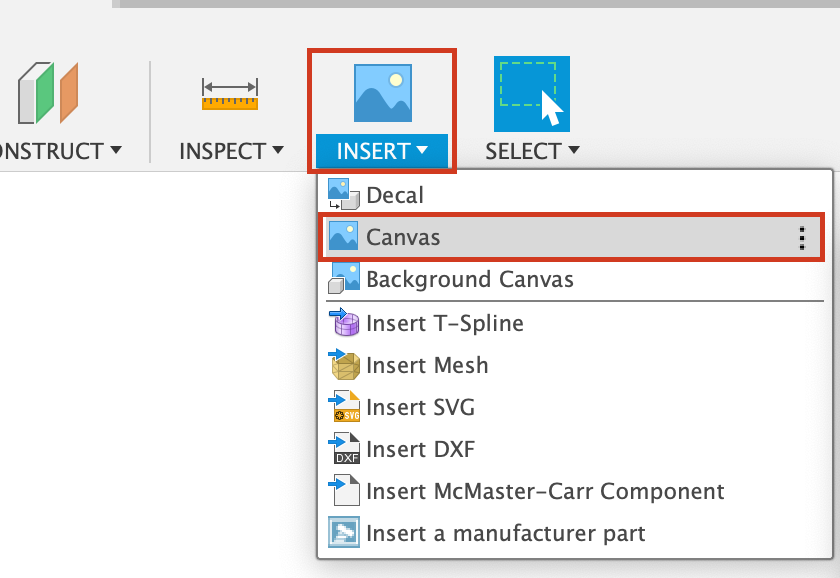
- Navigate to the image that is going to be inserted.
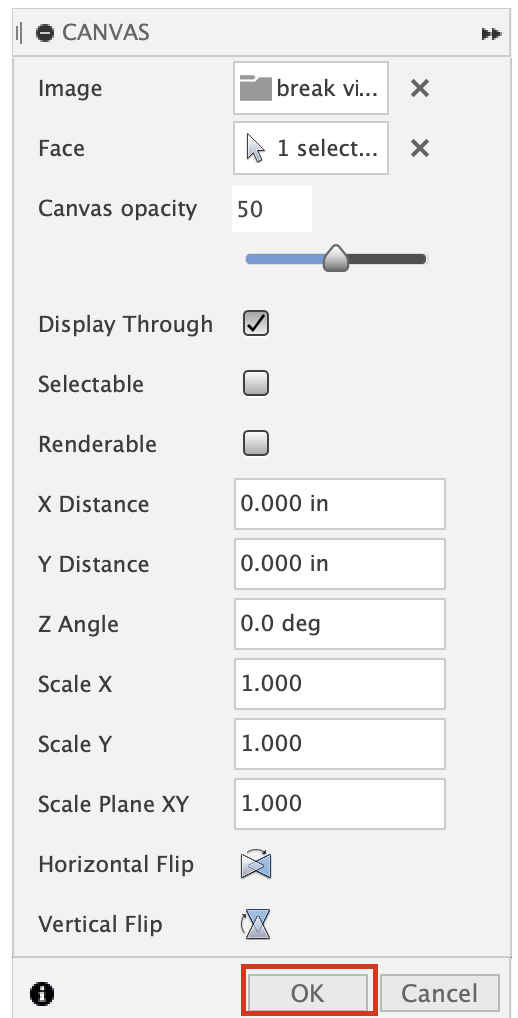
- Select the Face or Plane to place the canvas on. If the desired plane does not exist, create one. (See Create an offset plane.)
- Make any necessary adjustments to size, location, etc.
- OK to apply.
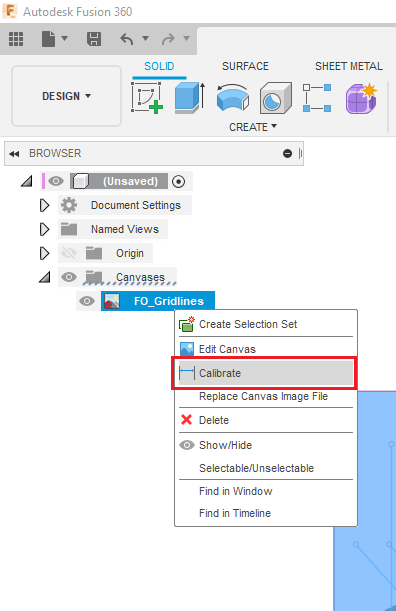
7. Calibrate the size of your canvas, by following these steps:
- Right-Click on canvas in the Browser Tree.
- Select Calibrate.
- Choose two points on the canvas and specify the distance in between those points.
- By changing the opacity of canvas and selecting "Display Through" you can sketch on top of canvas and the image as a reference.
8. After the image is inserted and calibrated, create a new sketch to trace the image or use it as design inspiration.