
Issue:
How to insert another design, model, file or component into another or the current open design in Fusion.Solution:
Drag and Drop
- Upload or save any files that will be inserted.
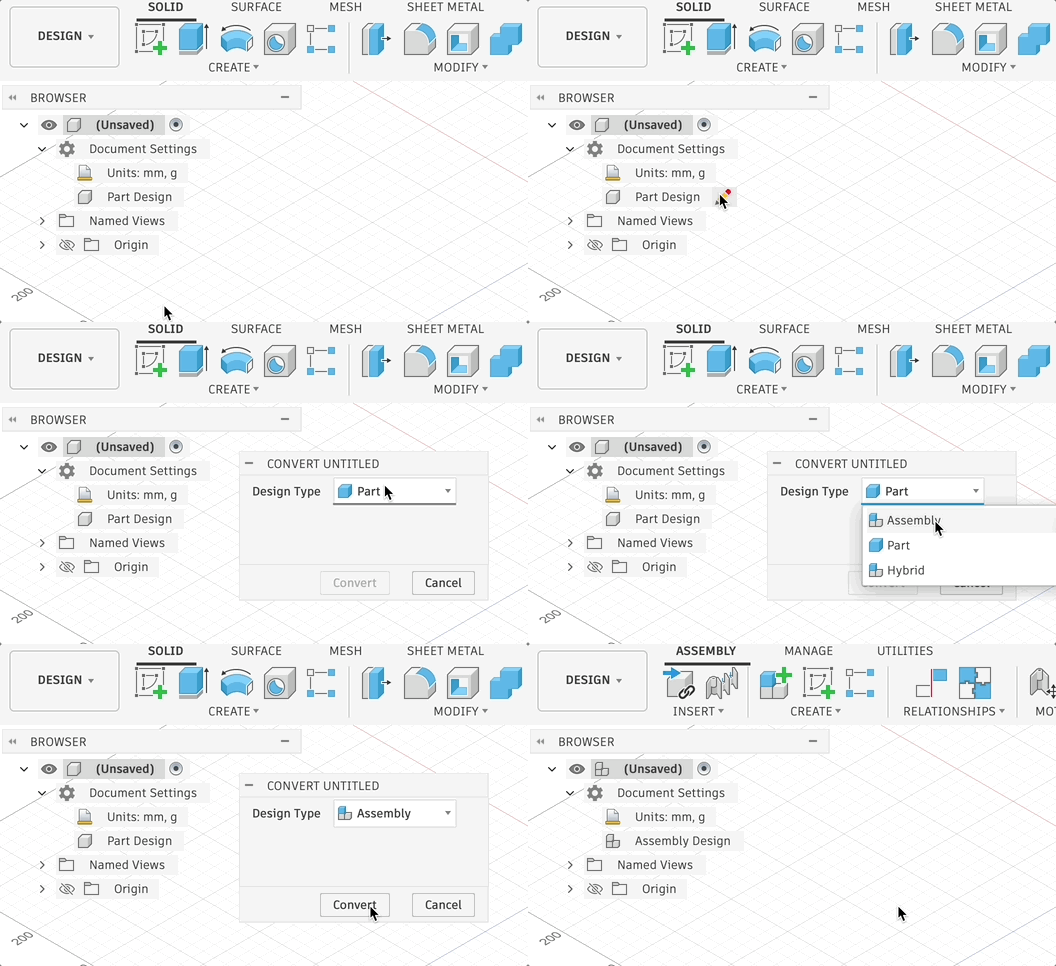
- Open a Hybrid Design or Assembly Design as the destination design file.
- Open the data panel.
- Drag the insert file from the data panel and drop into the open design.
Insert into Current Design
- Upload or save any files that will be inserted.
- Open a Hybrid Design or Assembly Design as the destination design file.
-
Note: Part designs can be converted to Hybrid or Assembly (Click to expand)
In the Browser tree, hover over Part Design and click the pencil icon to Convert Design Type
-
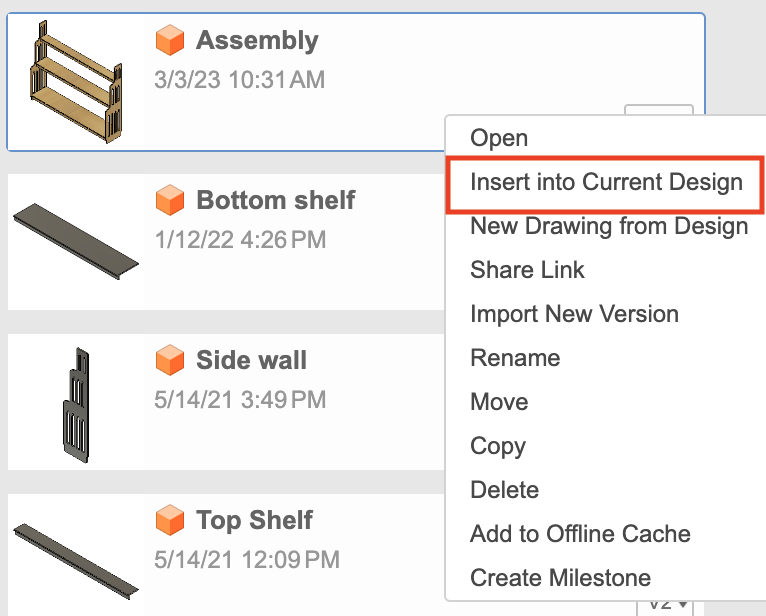
- Open the data panel and right click on the thumbnail of the a design that will be inserted.
- Select Insert into Current Design.
Additional Information
Inserting a design into another file will create an externally linked component in the assembly file. See product documentation on Assemblies for more information.
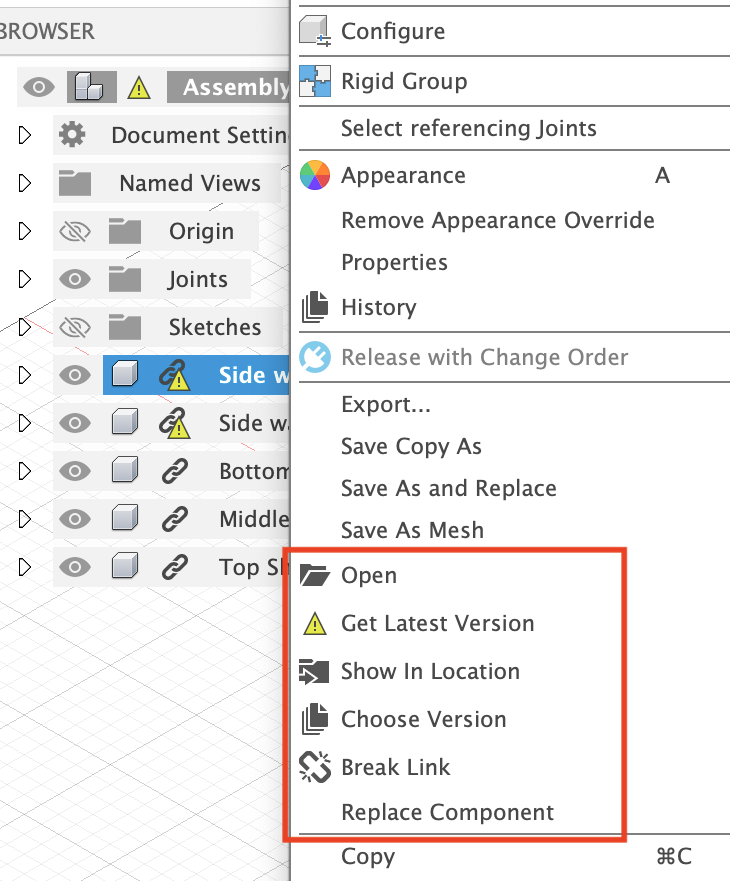
The external file is indicated by a chain link icon next to the component name in the browser tree. Right click on the external component to see options for "Get Latest", "Choose Version", and "Break Link".
- The "Get Latest" command will update the component to the most recent version of the external file.
- The "Choose Version" command will allow a specific version of the external component to be used in the design.
- The "Break Link" command will break the link between the external component and the assembly. When the link is broken, the component is converted to an internal component, and any changes to it will only affect the local assembly.
Note: If there are pending capture position commands, or warning and/or errors in the timeline of the design that is being inserted, this can cause problems in the assembly file. Please capture position and resolve all timeline warning and errors before using a design as an external reference.