
Issue:
How to save or export sketches to a DXF file for use in other application from Autodesk Fusion.
Solution:
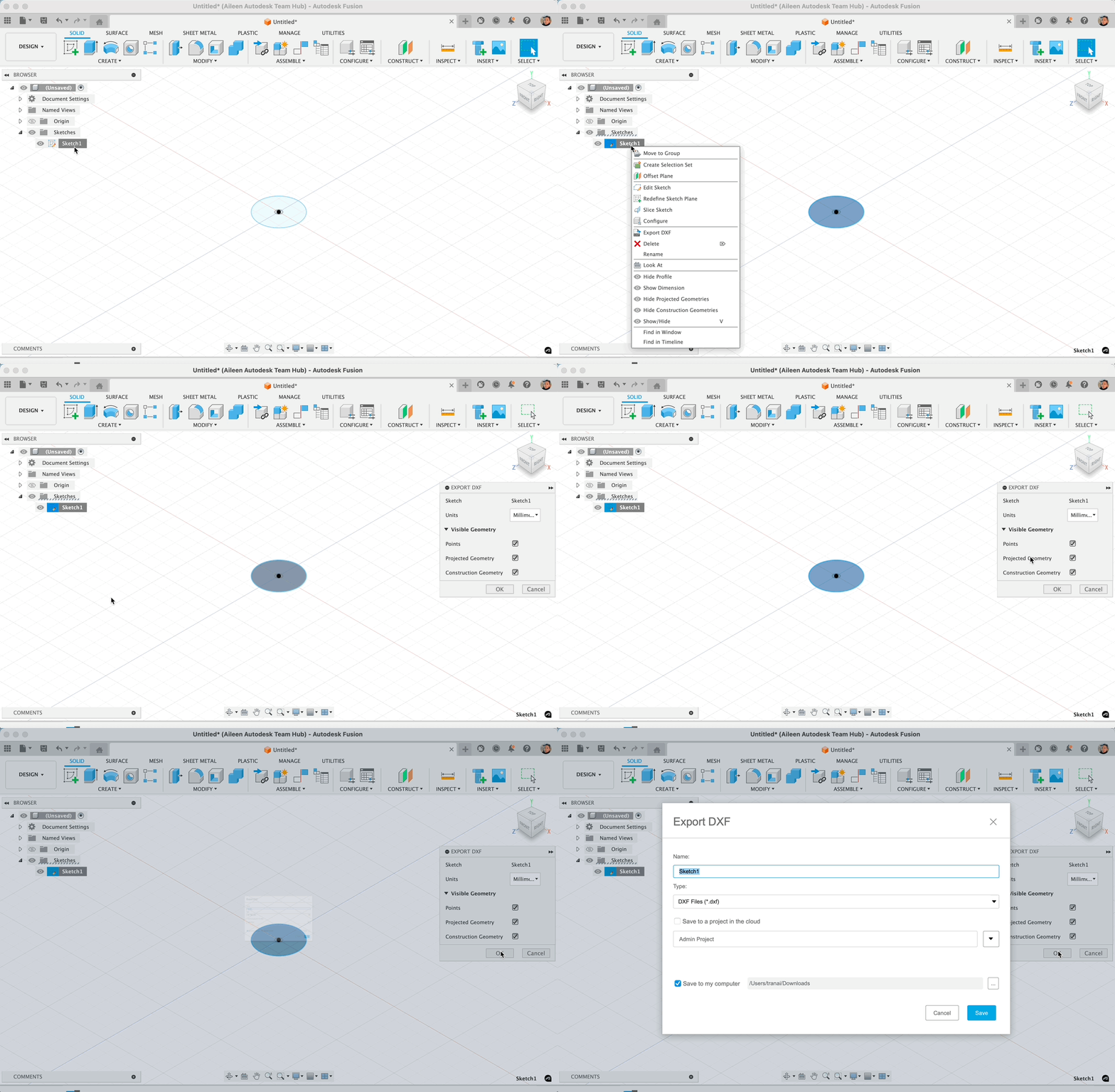
To export a sketch as DXF, follow the steps below:
- Identify an existing sketch to export, or create a sketch.
- Right-click that sketch in the browser and select "Export DXF".
- Define the units and visible geometry
- Select "OK".
- Type the file name and choose the file location.
- Click "Save".
Note: If a body has to be laser cut, create a sketch on the top or bottom face of the body. The edges of that face are automatically projected into the sketch.