Issue:
How to apply NPT threads in Fusion.
Causes:
- External NPT threads are not currently available.
- Internal NPT threads are available in Hole menu.
Solution:
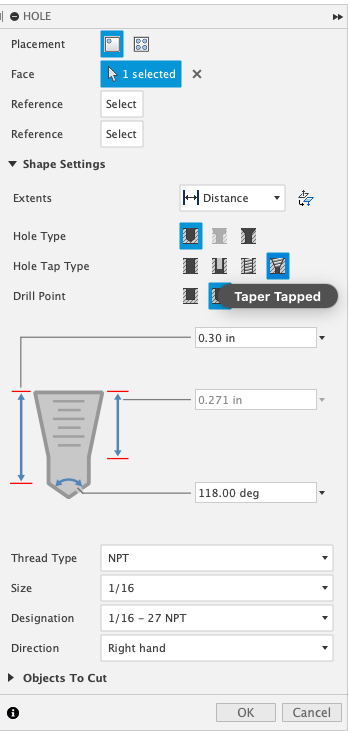
Use the Hole menu
Only to apply internal Taper Tapped NPT threads that can be referenced in the drawing workspace.
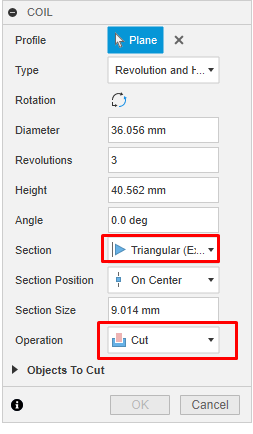
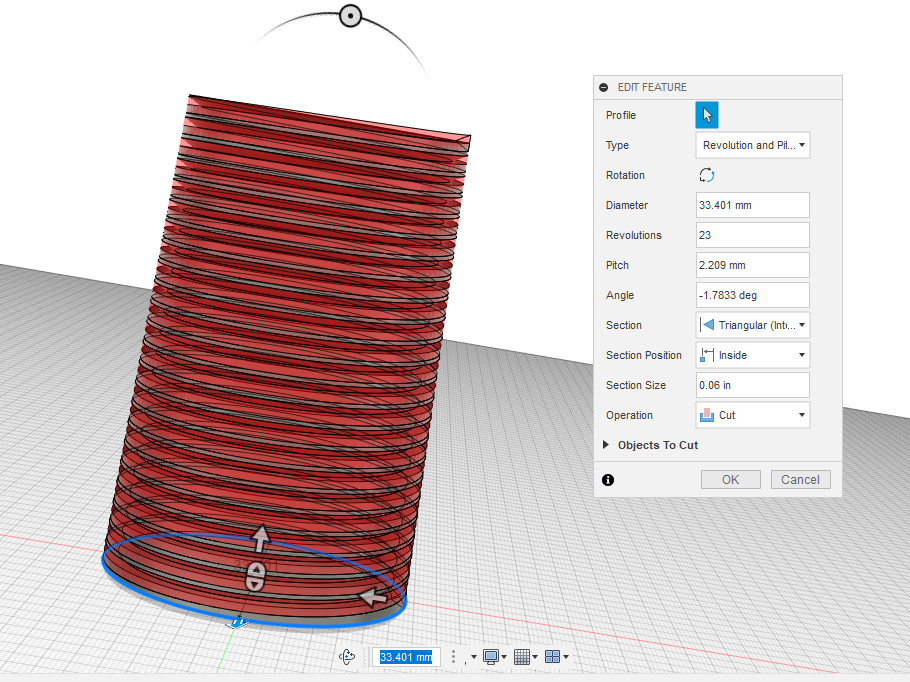
Model external and internal NPT threads with the coil command
Use the Coil command to "cut" out the threads from a solid body, you can follow the NPT thread dimensions used for a coil to create an NPT thread.