
Issue:
How to check what version of Autodesk Fusion is installed.
Solution:
Check the in Autodesk Fusion desktop
- Click the Question Mark icon in the upper right corner of the screen.
- Click About.

- In the dialogue that appears, the version number will be displayed under the white box.

If Fusion cannot be opened with Windows
- In settings, go to "add or remove programs".
- Scroll to where Fusion is listed.
- Version number is displayed.

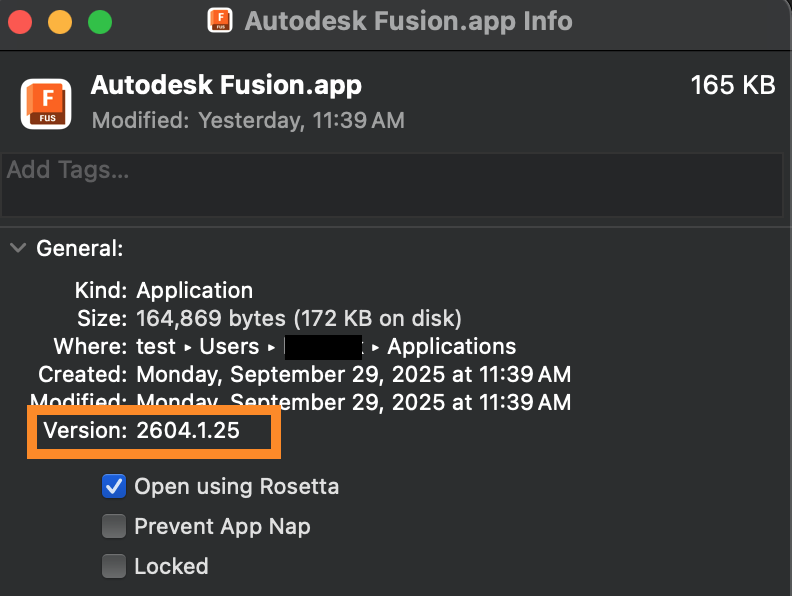
If Fusion cannot be opened with macOS
- Navigate to /Users/[username]/Applications
- Right click Autodesk Fusion.
- Select "Get Info".
- The "General" section shows the version number.
Note: See the What's New Blog for the latest version number of Fusion that has been released.