Issue:
How to change the grid space sizes in Fusion, depending upon the workspace that is being used.
Solution:
To change grid settings in the design workspace, do the following:
- On the navigation toolbar in Fusion 360 (across the bottom), select the Grids and Snaps menu.
- Select Grid Settings.
- Change from Adaptive or Fixed.
- If fixed, set major grid spacing length, and the amount of subdivisions that are needed.
- For increment settings, go back into the Grids and Snaps menu.
- Change from Adaptive or Fixed increments.
If creating an Electronics design, do the following:
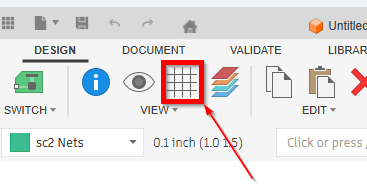
- Select the Grid Settings Icon. It looks the same in both Schematic or pcb.
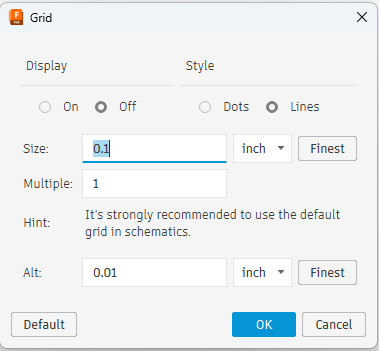
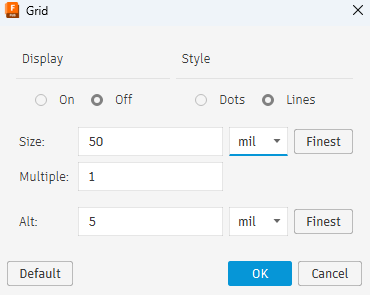
- Adjust the grid as required,
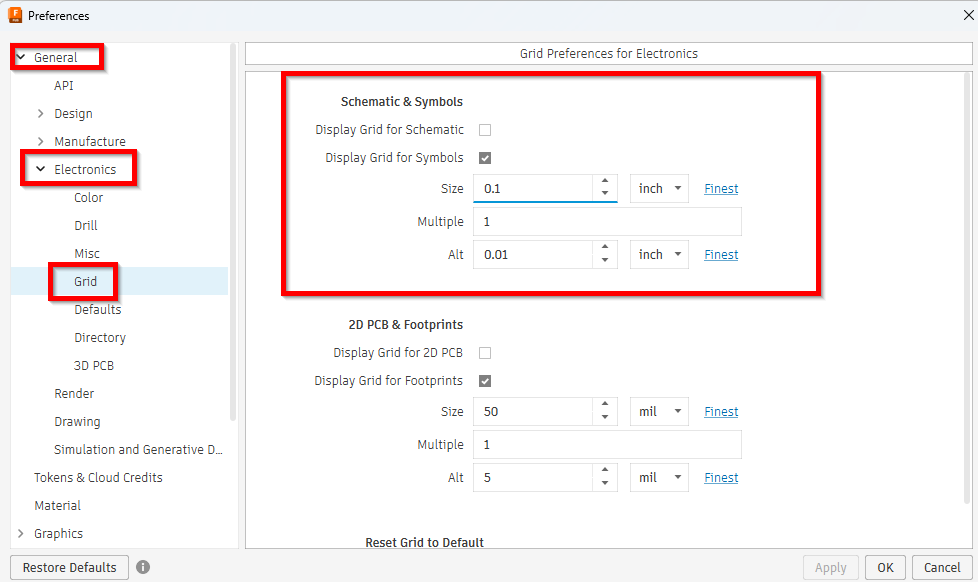
Note : Default settings can be set here in the preferences :