Issue:
When editing a sketch or viewing a sketching Fusion, the sketch dimensions & constraints are not visible.
Solution:
Showing dimensions & Constraints in Sketch Edit mode
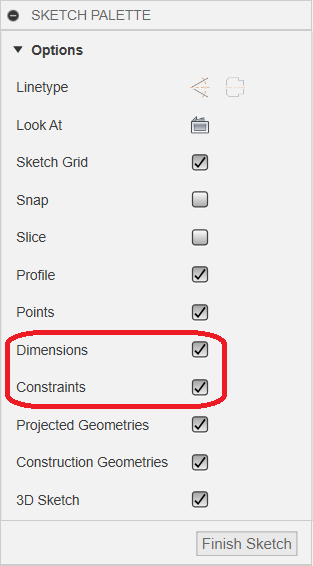
To Show or Hide Dimensions & Constraints while working on a sketch, check or clear the "Show Dimensions & show Constraints" box shown in the Sketch Palette dialogue.
Showing dimensions when viewing a sketch
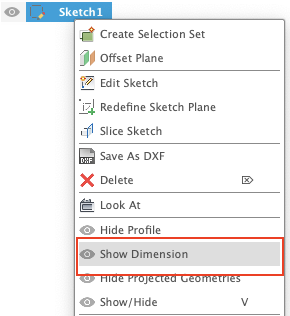
To Show or Hide dimensions even if not in sketch edit mode, right-click the sketch name in the Design Tree and select "Show Dimension" or "Hide Dimension".