
Issue:
Users reported that modeling with a trackpad on Mac in Fusion, one or more of the following behaviors may occur:
- Loss of trackpad usage while:
- While command dialog boxes are in use.
- Certain commands are in use, such as Flange or Loft.
- While quickly switching between Pan and Orbit.
- Navigation frame rate issues when using pan, zoom, and orbit. Zoom causes the program to zoom so far that the model can’t be seen.
- Zooming when using panning gestures.
- The trackpad mouse fails to register any mouse-over events.
- Zooming only zooms to the center.
- View cube locks up when trying to use it
Environment:
macOSSolution:
Work through the following suggestions.
Turn on gesture-based view navigation
- Access the preferences dialog.
- In the first tab labeled General, enable gesture-based view navigation.
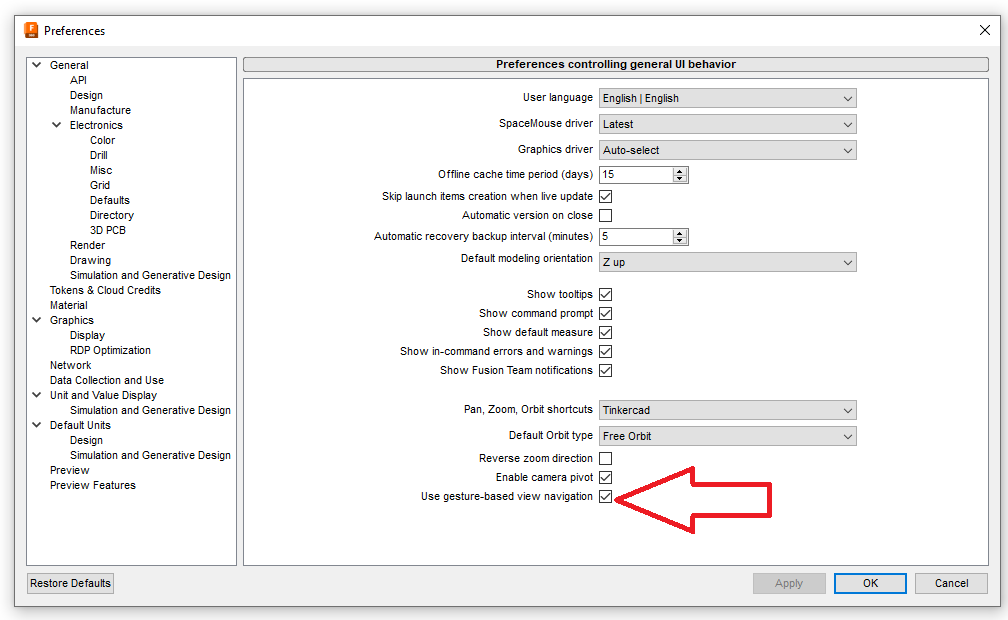
- It may be necessary to reset after modifying the preferences. Reset Fusion by closing it and restarting.
Turn on Scroll bar permanently
- Click Apple icon on top-right corner of Mac menu bar.
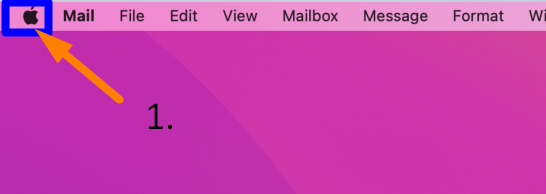
- Select System Settings.
- Search for and open General.
- Go down to Show scroll bar.
- Select Always.
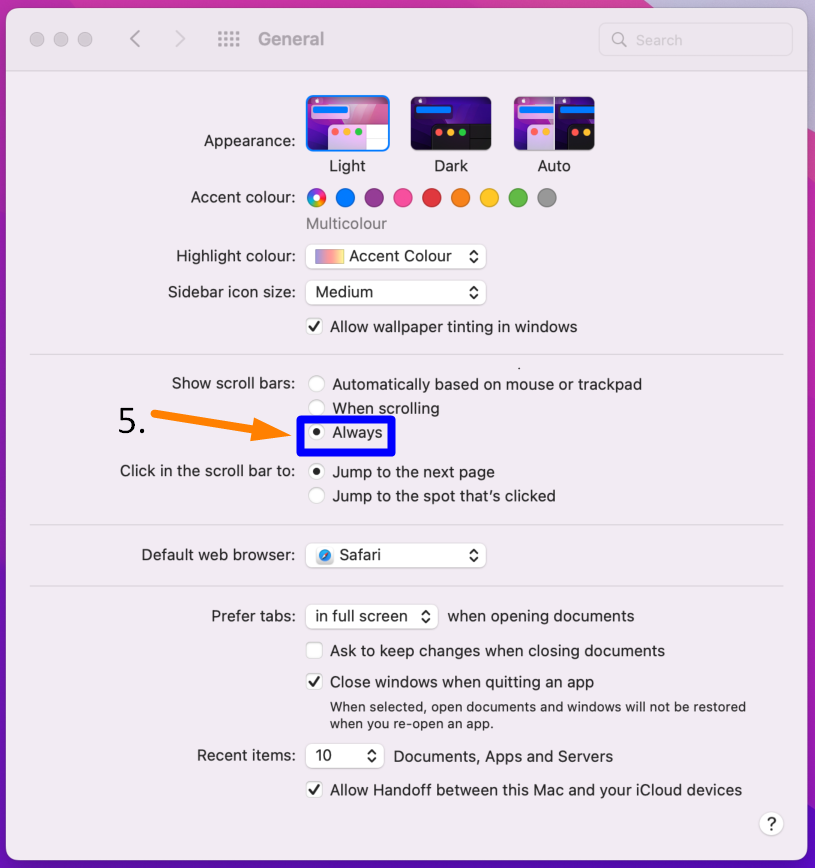
- Restart Fusion.
For specific issues, see the following articles
- View Cube Stops working in Fusion on Mac when using Google Chrome: The view cube stops functioning when Google Chrome is open in the background of Fusion. Also, the "Tap to Click" Mac System Setting is enabled under the Trackpad settings.
- How to stop zooming while panning on Mac trackpad in Fusion: While using gesture navigation with a Mac trackpad, you're experiencing unintentional zooming while panning.
- Two finger zoom inputs on Mac trackpads are delayed in Fusion: When using the trackpad and two finger zoom on a Mac in Fusion, the zoom command is delayed and inconsistent.
- 3D orbit not working on Mac trackpad for 3D navigation in Fusion: Using two fingers on the touchpad and pressing shift does not orbit.