Issue:
How to open and (optionally) revert to a previous working version of a Fusion design.Solution:
Use the following steps to open and (optionally) revert to a previous version:
Open a previous version
- Expand the Data Panel in the top-left corner.
- Navigate to the desired file.
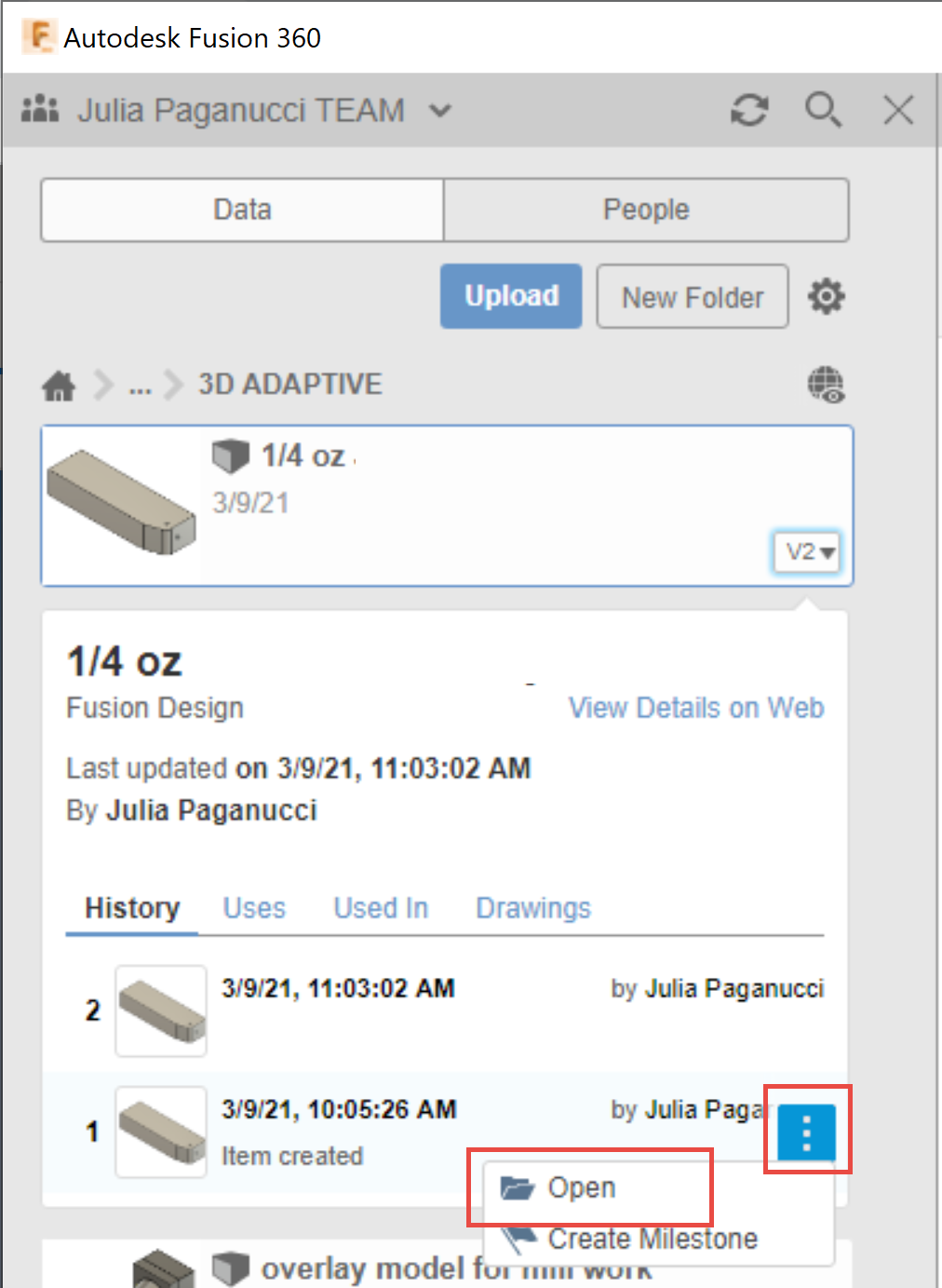
- Click the version button (for example "V10") to expand the version history.
- Hover over the version that you want to promote and click the three dots that appear.
- Click Open:
- Continue with the following steps to revert to this version.
Promote / Revert to the previous version
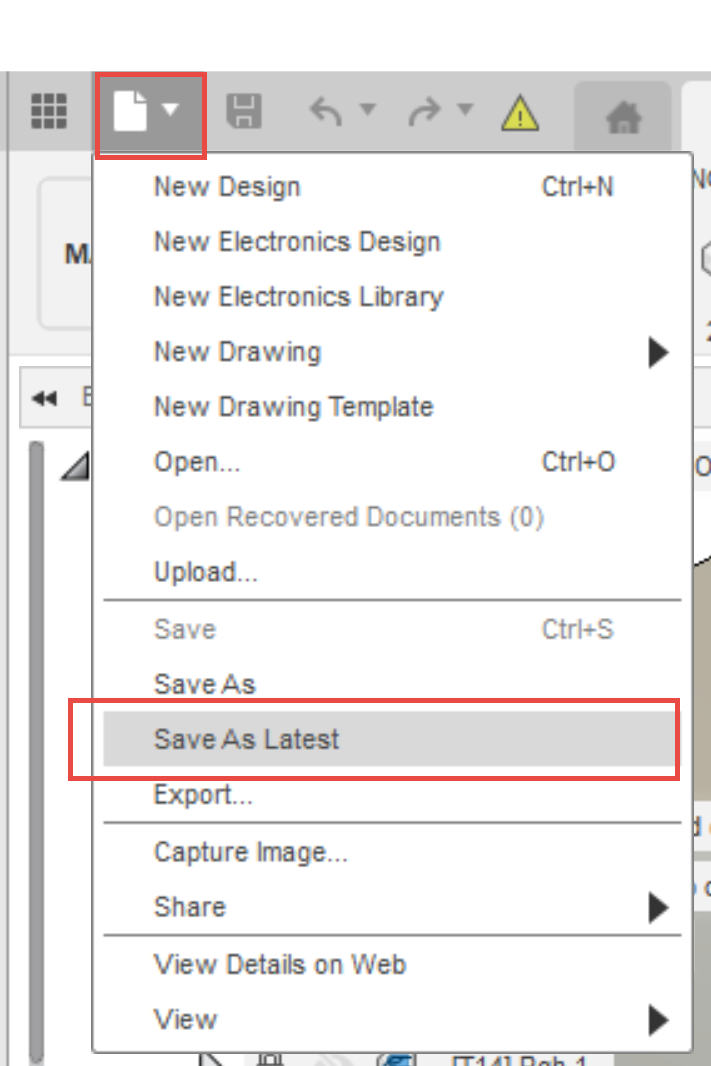
- Open the file menu.
- Click Save As Latest.