
Issue:
How to move the sketch to a different plane in Fusion.Solution:
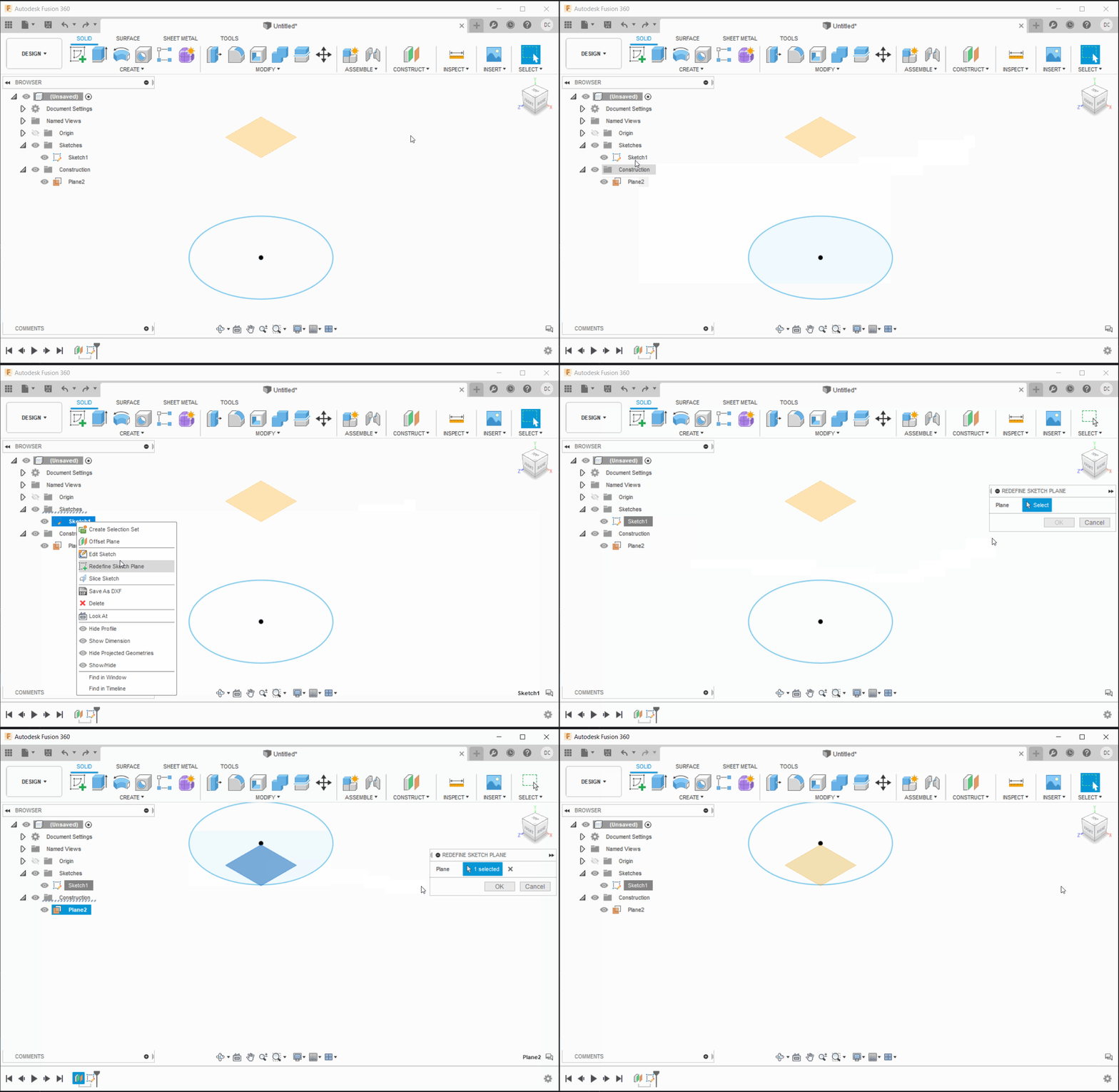
Redefine Sketch Plane
When using parametric modeling (capturing design history), redefining the sketch plane can be done by:
- Right-click the sketch icon in the timeline.
- Click Redefine Sketch Plane.
- Reselect the geometry reference to use as the new sketch plane.
- Click OK.
Once this is done, all geometry/features referencing that sketch will update based on the location of that new sketch plane.
Note: To use construction geometry for the redefined sketch plane, the construction geometry has to be created before the sketch in the timeline. The timeline can be rolled back to do this.
Copy the sketch
- Mark the desired sketch.
- Use the Copy option.
- Choose the correct plane.
- Paste the sketch.
Note: If the sketch will be inverted, try using the Mirror option to turn it in the correct direction.