
Issue:
How to delete bodies or components without deleting referenced features in Fusion. Deleting a body or component may remove other components.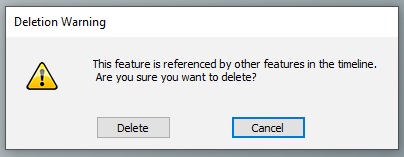
Solution:
To remove bodies or components, use one of the following methods:-
- Use the Remove feature
- Select one or more bodies or components from the browser tree to delete.
- Select with the Right click to bring up the context menu.
- Remove the selected bodies or components.

- Turn off Design History
- See here on How to turn off design history.
- Delete the unwanted bodies now.
Note: Using Remove allows the body or component to be removed from the design, without affecting other features in the design. This will put a command at the end of the timeline, once removed. Using Delete will delete any trace in the timeline of the body or component (including other commands that reference these bodies/components).