
Issue:
Users reported that there is a need to save Fusion files locally. How to save Fusion files to a local location such as a C Drive, D Drive, Flash Drive, Mac Drive, Desktop, or Documents?
Causes:
Autodesk Fusion is a cloud-based software - All files are stored in the cloud.Solution:
To save a file locally, export the file from the File menu as Autodesk Fusion Archive Files (*.f3d, *.f3z).
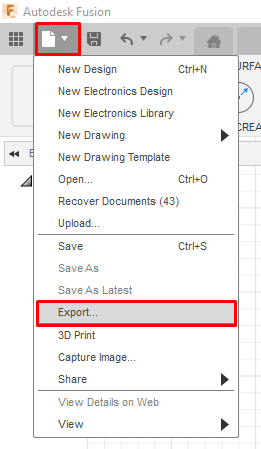
For more information, see: How to make a local archive (backup) file in Fusion
For more information, see: How to make a local archive (backup) file in Fusion