
Issue:
How to show or hide the Text Commands window in Fusion.
Solution:
To hide or show the text commands:
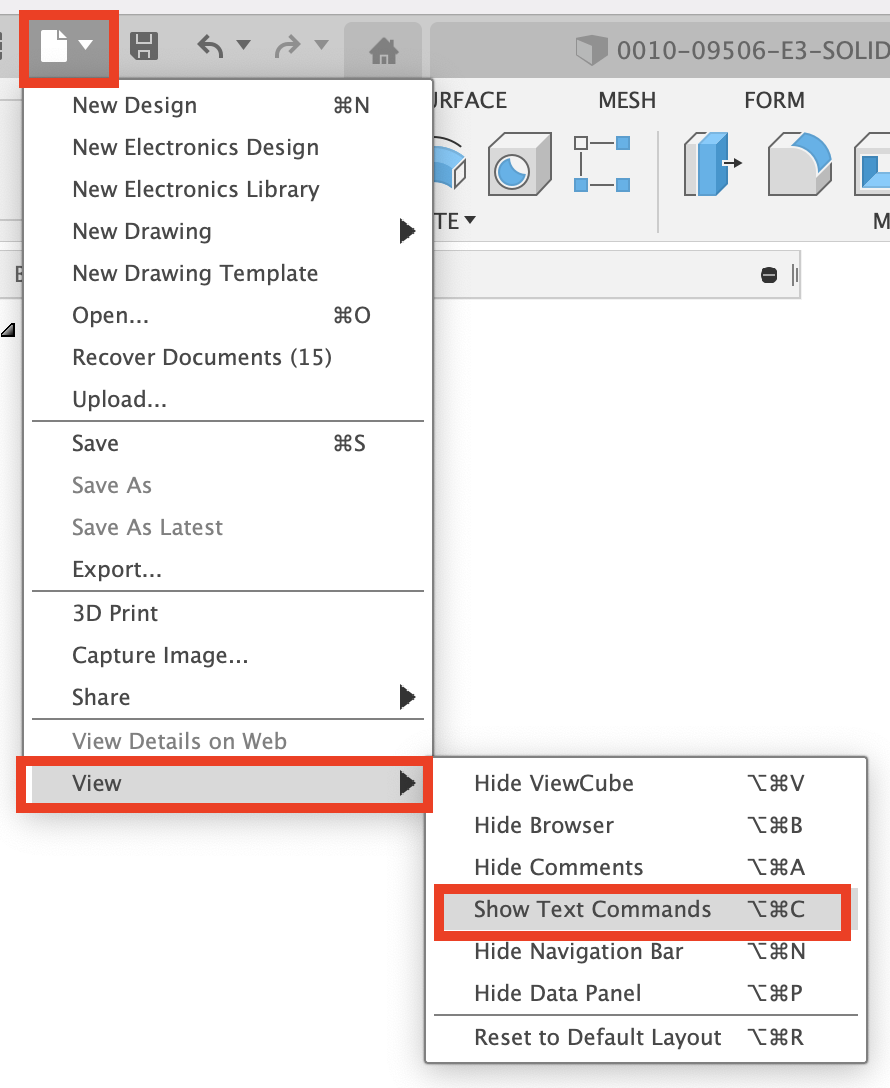
- From the File menu, hover over the View option.
- Select Show / Hide Text Commands.
MacOS:
Windows:
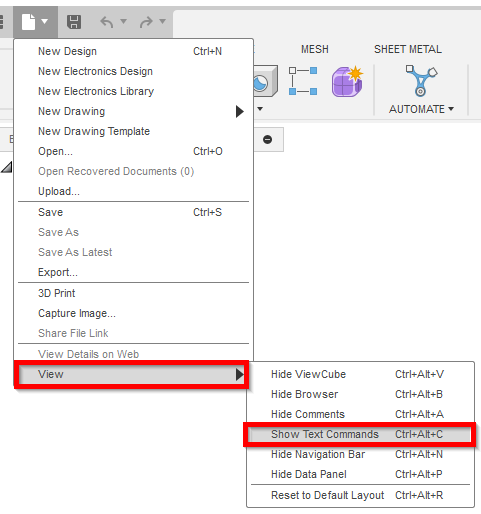
Note: the menu changes depending upon the state of the Text command window.