Issue:
How to turn on/off the layout grid in Fusion when not in sketch mode.
Solution:
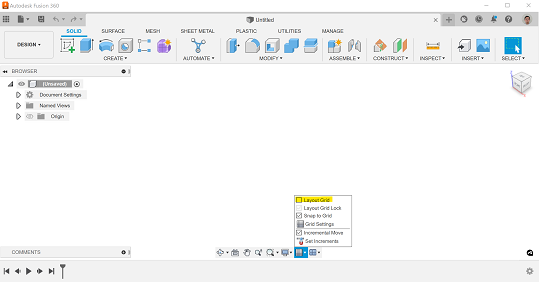
To turn off the layout grid in Fusion, perform the following:
Click the Grid and Snaps icon on the bottom center of the screen.
Uncheck Layout Grid. The grid will now no longer appear on the screen when modeling.