Issue:
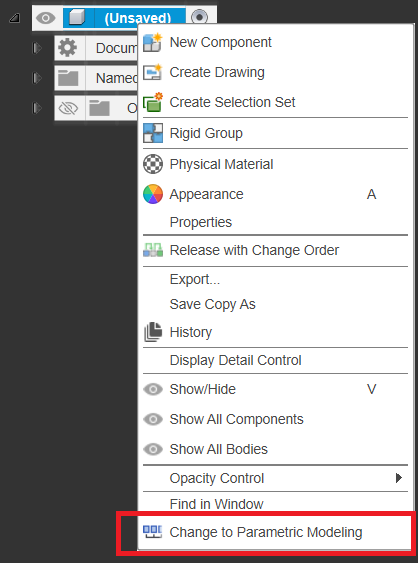
How to turn on Design History to get a timeline to appear at the bottom of the screen in Autodesk Fusion.
Causes:
- Design History is disabled by default when importing CAD files from another CAD package. It can be turned on to track changes made to the file.
- Autodesk Fusion can be set to begin design with the timeline either enabled or disabled in the Preferences.
Solution:
Follow these steps to turn on the timeline to capture Design History:
- Navigate to the browser tree.
- Right-click on the top level component.
- Click "Change to Parametric Modelling".