
Issue:
Users reported that importing an STL file is not the correct size when using Upload or Open in Autodesk Fusion. The following can be seen:
- There is no option to define the units of the file.
- The STL file produces mesh 10 times bigger than the original.
Causes:
Fusion automatically uploads with units set to centimeters.Solution:
Define units through Insert Mesh option.
Use the Insert Mesh command under the Insert menu and choose the correct units when prompted.
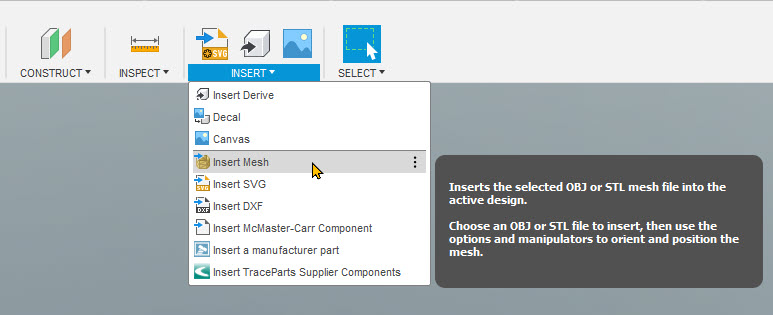
Scale the model to the correct size.
If the model is 10 times bigger in Autodesk Fusion, scale the model down:
- From the main ribbon go to Design module.
- Select Modify > Scale.
- Enter the scale factor as 0.1.
- Scale the model.