
Issue:
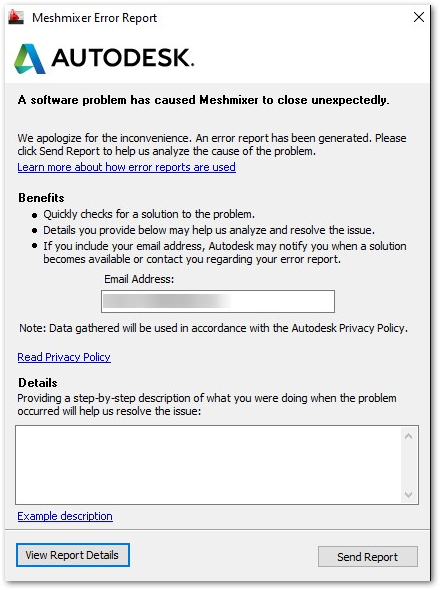
When launching Meshmixer, the software crashes right after launch and display an Error Report dialog.A software problem has caused Meshmixer to close unexpectedly.
Solution:
First, any time you experience a crash, complete the crash report with details of how it happened if prompted.Try the following solutions one by one, testing Meshmixer after each:
Reset User Settings
- Navigate to
- Windows: C:\Users\User Name\AppData\Roaming\Autodesk\meshmixer.ini
Note: AppData is hidden by default, so you might have to enter that path manually or choose to show hidden files.
- Mac: ~/.config/Autodesk/meshmixer.ini
- Rename the meshmixer.ini file into meshmixer.bak
- Navigate to
- Windows: C:\Users\User Name\Documents\meshmixer\autosave
- Mac: ~/Documents/meshmixer/autosave
- Rename the autosave folder into autosave.bak
Modify the meshmixer.ini file
Occasionally problems may be related to the networking module in Meshmixer.
- Open the meshmixer.ini file (see above directories).
- Search for the following values:
CheckUpdatesUserPreferenceForDataCollectionSet2UserPreferenceForDataCollectionSetV3CollectingAnalyticsData2CollectingAnalyticsDataV3
- Set these all to false if they are not set already. For example, change the following line:
CheckUpdates=true
to:
CheckUpdates=false
Note: this will disable automatically checking for Meshmixer updates on launch and/or sending usage data to Autodesk.
Update your graphics card's drivers
Chances are your graphics card drivers need to be updated to support Qt 5.Note: Refer to your graphics card's manufacturer website for the latest drivers.
- NVIDIA: http://www.nvidia.com/Download/index.aspx
- AMD: http://support.amd.com/en-us/download
- Intel: https://downloadcenter.intel.com/