
Issue:
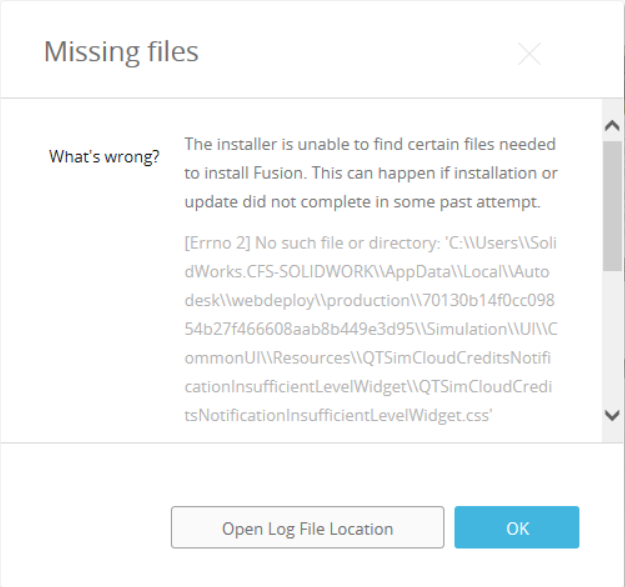
Users reported that the following message appears when trying to install Autodesk Fusion:
Missing files.
What's wrong?
The installer is unable to find certain files needed to install Fusion. This can happen if installation or update did not complete in some past attempt.
Environment:
Causes:
- Files leftover from an attempted Fusion installation or update is preventing the installation.
- Username too long
Solution:
Clear files by performing a clean uninstall of Fusion:
- First try uninstalling with the Fusion Service Utility: How to uninstall Fusion using the Fusion Service Utility
- If the Fusion Service Utility fails to clear the installation files, try manually uninstalling Fusion: How to do a manual clean uninstall of Autodesk Fusion
- Download Fusion through your Autodesk Account.
- Run the downloaded installer to reinstall Fusion.
Username too long
- Launched Registry Editor (Regedit).
- Went to LOCAL_MACHINE\SYSTEM\CurrentControlSet\Control\FileSystem
- Right clicked on LongPathsEnabled.
- Select Modify.
- Changed Value data: from "0" to "1".
- Ran installer without issue.
Warning:
Use the Microsoft® Registry Editor only at your own risk. Only after backing up the registry and the system.dat and user.dat files as outlined for your operating system in the Microsoft Knowledge Base and in the related solution, Backup system registry. Additional information about the registry is also contained in the Help topics in the Microsoft Registry Editor.